10 Best CCTV Test Monitor (November 2026) Expert Guide
Written by admin · Updated November 2026
A CCTV test monitor gives installers and maintenance technicians a practical way to connect, identify, power, and evaluate cameras before completing an installation. The best unit balances screen usability, camera compatibility, cable diagnostics, network tools, and portable power rather than specializing in only one surveillance format.
The ten products in this guide were compared using their stated specifications and customer ratings. Coverage includes IP, analog, AHD, TVI, CVI, SDI, and CVBS support, along with PoE outputs, network utilities, PTZ controls, cable testing, screen size, and battery-powered portability.
Each review explains the product's strongest capabilities, meaningful limitations, and likely buyer profile. Rankings reflect the supplied feature information and ratings, while product availability, configurations, and pricing can change, so readers should verify current listing details before purchasing.
Top 3 Picks for Best CCTV Test Monitor
Best Budget
Upgraded 8K IP Camera Tester, WANLUTECH CCTV Tester 7inch Touchscreen 8MP TVI CVI AHD CVBS Camera Test 90W PoE Power Cable Tracer RJ45 Cable TDR Test SFP Network Tools WiFi HDMI VGA (IPC-9800CADH Pro)
Rsrteng CCTV Camera Tester, 8K 32MP IP Camera Tester with POE++ Max 90W 8MP CVI TVI AHD SDI CVBS Camera Tester 7inch IPS Touch Screen CCTV Tester Support SFP, WiFi HD IPC Tester IPC-9800ADHS Pro
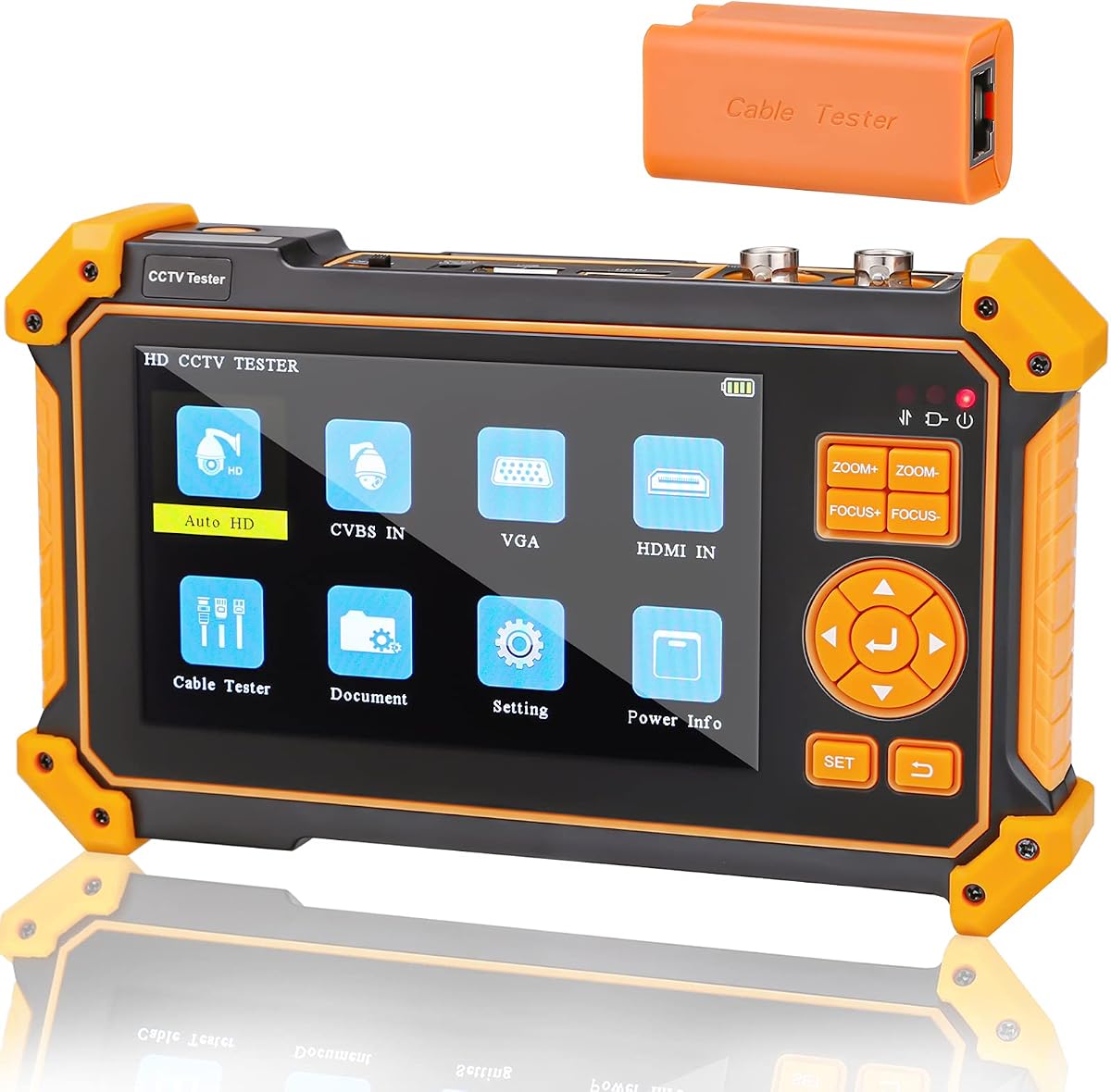
[New] WSDCAM 4-in-1 HD CCTV Tester Monitor Auto HD Coaxial Camera Tester, 4K 8MP CVI/TVI/AHD/CVBS Analog Camera/UTP Cable Test, 4.3in TFT-LCD Screen PTZ Control RS485 Call OSD Menu DC12V Power Output
As an Amazon Associate we earn from qualifying purchases.
Top 10 Best CCTV Test Monitor in 2026 Compared
This side-by-side comparison highlights each monitor's screen, supported camera formats, power capabilities, and diagnostic functions to help identify the most suitable tool for a particular installation workflow.
The Rsrteng IPC-9800ADHS Pro combines broad camera compatibility with the tools expected from a professional installation tester. Its 4.5 rating is the highest among the ten products, and its support for maximum 8K and 32MP IP cameras, 8MP coax formats, and CVBS gives it unusually complete coverage.
Pros
Exceptional format coverage
High-power PoE output
Extensive diagnostic toolkit
Useful gigabit Ethernet
Android 11 platform
Cons
Heavier professional configuration
Advanced tools require learning
We may earn a commission when you buy through this link, at no additional cost to you.
The 90W PoE++ output can temporarily power compatible high-power PTZ speed-dome cameras, while the SFP interface expands options for optical network testing. Its Android 11 operating system, 7-inch IPS touchscreen, dual gigabit Ethernet ports, HDMI and VGA connections, RS485, audio, Wi-Fi, and cable diagnostics make it useful across installation, commissioning, and maintenance tasks.
The trade-off is complexity. A professional toolkit with this many functions is larger and more involved than a basic coax tester, and some advanced menus may take time to master. The stated measurement range for RJ45 TDR testing is 180 meters, so it should not be treated as a substitute for a dedicated long-distance cable certification instrument.
This is the strongest all-around choice for technicians who genuinely need IP, analog, coax, high-power PoE, SFP, network, and cable testing in one device. It is less suitable for a buyer who only needs to identify a simple analog signal, but for a broad professional toolkit, its coverage and strong customer rating justify the top position.
Coverage for mixed camera estates
The tester supports IP cameras through IP discovery, IPC testing, RTSP playback, Rapid Video, and dedicated tools for Hikvision, Dahua, and other brands. It also handles AHD, TVI, CVI, SDI, and CVBS cameras, with automatic coax-type recognition and PTZ control.
Professional power and network tools
IEEE 802.3af, 802.3at, and 802.3bt support allow high-power PoE testing, while the SFP interface accommodates compatible optical modules. Ping, trace route, link monitoring, DHCP, port flashing, power monitoring, and RJ45 TDR functions help narrow down installation faults.
The WANLUTECH IPC-9800CADH Pro is a premium, all-in-one monitor for technicians who work across IP and coax surveillance systems. Its 4.4 rating reflects a strong reception, while its stated support for 8K and 32MP IP cameras, 8MP AHD, TVI, and CVI, plus CVBS, makes it a versatile field tool.
Pros
Broad camera compatibility
High-output camera power
Extensive cable testing
Multiple I/O connections
Dual gigabit Ethernet
Cons
Large feature set to learn
Battery shipping reminder required
We may earn a commission when you buy through this link, at no additional cost to you.
A major attraction is the 90W PoE output, which supports compatible IEEE 802.3af, 802.3at, and 802.3bt devices. The tester also provides a gigabit SFP module port, dual gigabit Ethernet ports, HDMI input and output, VGA input, audio connections, RS485, Wi-Fi analysis, and a cable tracer for identifying buried runs among other cables.
Cable diagnostics are especially thorough, covering RJ45 pair status, length, attenuation, reflectivity, impedance, and skew. UTP fault-location testing and separate BNC, RJ45, and RJ11 length measurement make it more versatile than compact coax-only units. Buyers must remove the battery-isolating paper before first use and should account for the learning curve associated with so many menus.
Choose this unit when a premium feature set matters more than minimum size or simplicity. It suits installers responsible for network cameras, high-power PTZ equipment, mixed legacy systems, and cabling troubleshooting, while the Rsrteng model remains an equally strong alternative with a slightly higher stated rating.
A capable premium field toolkit
The 1280-by-800 touchscreen provides more room for camera menus, network results, and screenshots. Auto HD recognition, color bar generation, recording, playback, and test-report creation streamline commissioning across both network and coax installations.
Power for demanding cameras
The 90W output is useful for temporarily operating compatible high-power PTZ cameras. Separate DC12V, DC24V, and DC5V outputs add flexibility for devices that do not use PoE, although installers should confirm voltage and current requirements before connecting any equipment.
The WANLUTECH E88 stands out through its large 8-inch touchscreen and a broad collection of IP-camera diagnostic features. It carries a 4.4 rating and is positioned for technicians who need comfortable screen space, high-output PoE, optical networking, and cable measurements in a portable Android-based unit.
Pros
Large, detailed display
High-power PoE capability
Optical module support
Extensive network utilities
Android operating system
Cons
Bulkier than smaller testers
Analog format support less expansive
We may earn a commission when you buy through this link, at no additional cost to you.
The tester supports IP discovery, Quick OVIF, IPC testing, Rapid Video, and automatic video viewing. Batch activation and configuration for Hikvision and Dahua cameras can save time on larger deployments. Its 90W PoE output supports compatible high-power PTZ equipment, while the SFP optical module port adds value for fiber-based network testing.
Network utilities include ping, IP scanning, DHCP server, PPPOE, trace route, port flashing, LLDP, and link monitoring. The RJ45 TDR test measures pair status, length, attenuation, reflectivity, impedance, and skew, while separate cable-length measurements cover BNC, RJ45, and RJ11 wiring. As with other battery-equipped models, the insulating paper should be removed before use.
The E88 is an excellent choice for network-centric technicians who prefer a large display and need both copper and optical testing options. It is less comprehensive than the leading coax-capable premium models, so buyers handling substantial legacy-camera work should compare those formats carefully before deciding.
More room for detailed diagnostics
The 8-inch touch display is helpful when reading IP addresses, navigating camera menus, reviewing network tools, or inspecting camera settings. It also makes the device more comfortable for demonstrations and repeated field configuration.
Flexible copper and fiber testing
RJ45 TDR measurements provide a detailed view of twisted-pair conditions, while the SFP port allows compatible optical modules to be used for fiber network checks. These functions make the tester more adaptable than a simple monitor with only camera and HDMI connections.
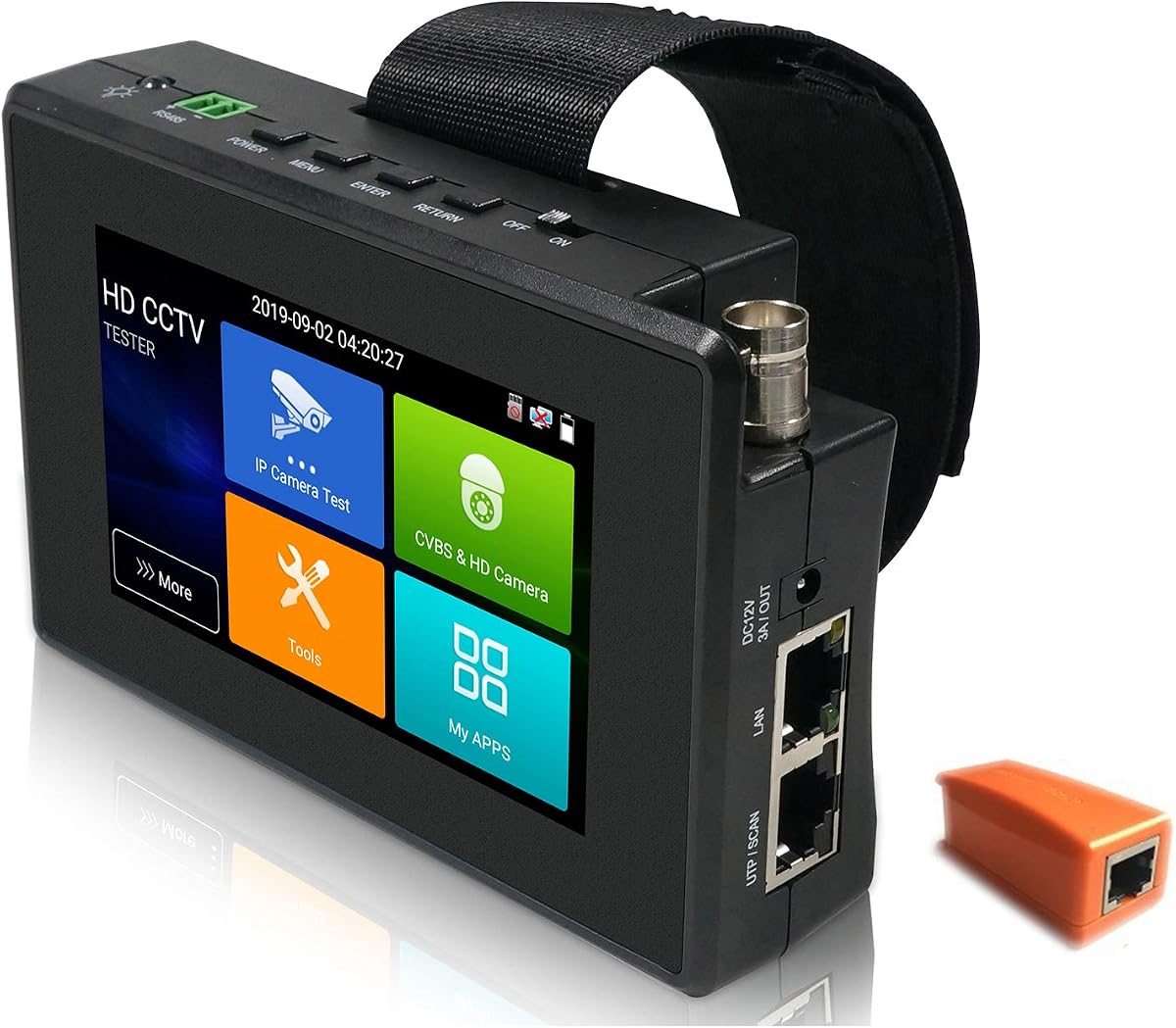
The WANLUTECH IPC-1800ADH Plus is a compact hybrid tester for technicians who need both IP and coax camera support without carrying a larger professional model. It has a 4.4 rating, a 4-inch IPS touchscreen, and compatibility with 8MP AHD, TVI, CVI, and CVBS cameras alongside IP cameras.
Pros
Compact touchscreen design
Supports IP and coax
Useful PTZ compatibility
Integrated network tools
Convenient hotspot support
Cons
Lower PoE output than premium
Modest screen size
We may earn a commission when you buy through this link, at no additional cost to you.
Automatic HD camera recognition displays resolution and frame rate, while UTC control and OSD menu access help configure coax equipment. The IP side supports discovery, Quick ONVIF, IPC testing, RTSP playback, batch activation, and IP address or password modification for Hikvision and Dahua cameras.
Its 30W PoE output is adequate for many ordinary network cameras, but it cannot match the 90W capability of the premium units. It does include useful network tools such as ping, IP scanning, port flashing, and DHCP server, along with RJ45 and UTP cable testing, PTZ control, RS485, Wi-Fi, and hotspot creation.
This model is best for service technicians handling mixed estates who value a pocket-friendly touchscreen. It is less appropriate for high-power PTZ testing, fiber work, or users who want the largest possible display, but its broad format support and manageable size make it a practical field compromise.
Compact mixed-format testing
The small touchscreen does not prevent access to the functions required for installation and maintenance. Automatic camera recognition, PTZ controls, batch IP configuration, and cable diagnostics remain available within a more portable enclosure.
Everyday PoE capacity
The 30W output can temporarily power many standard PoE cameras. It is a sensible choice for routine commissioning, but installers should use a higher-output model when operating a power-hungry speed dome or other high-power PTZ camera.
The Triplett 8150 CamView IP Pro offers a compact, recognizable approach to CCTV testing. Its 4.1 rating is the lowest in this group, but the stated feature set covers the essential needs of many technicians: IP, analog, TVI, CVI, AHD, and 4K H.264 or H.265 camera testing.
Pros
Compact and lightweight
Broad camera compatibility
Simple physical connections
Useful cable diagnostics
Wi-Fi hotspot support
Cons
Lowest stated customer rating
No touchscreen stated
Limited high-power PoE
We may earn a commission when you buy through this link, at no additional cost to you.
Physical connectivity is straightforward, with HDMI, BNC, and RJ45 ports. A 24W PoE output and 12-volt, 3-amp DC output can temporarily power connected devices. Automatic recognition of HD coax camera type and resolution helps reduce setup time when working across mixed legacy systems.
Wi-Fi camera connection and hotspot creation add useful flexibility, and an Ookla speed test can help assess a network connection. RJ45 TDR and cable-quality testing plus UTP fault detection help installers investigate opens, shorts, and miswires. Its lower rating may reflect user experience or expectation rather than a lack of core functions, but prospective buyers should examine current customer feedback.
The CamView IP Pro is a good fit for a technician seeking a straightforward, compact unit without a large learning curve. It is less suitable for users who require a touchscreen, SFP optical testing, maximum-resolution IP testing, or 90W PoE, but it covers common installation tasks effectively.
Simple connectivity for field service
HDMI, BNC, and RJ45 connections cover common camera and recorder testing paths. Automatic coax recognition reduces the need to memorize settings for each camera type, making the unit approachable for routine maintenance work.
Network checks beyond discovery
In addition to connecting Wi-Fi cameras and creating a hotspot, the tester includes an Ookla speed test. That makes it useful for checking available connectivity and basic network performance during installation.
The Anpviz 5 Inch 4-in-1 is a purpose-built coax tester for technicians who do not need IP camera support. It has a 4.3 rating, a portable 5-inch TFT-LCD display, and support for TVI resolutions up to 8MP, making it most relevant to analog and high-definition coax installations.
Pros
Long stated battery runtime
Simple non-touch display
Useful PTZ controller
Supports DVR and NVR
Compact analog-focused design
Cons
Does not support IP cameras
No PoE output
Small non-touch screen
We may earn a commission when you buy through this link, at no additional cost to you.
Its internal PTZ tester and controller, UTP cable testing, audio surveillance testing, and power output expand its usefulness beyond simply displaying a camera image. VGA and HDMI 1.1-compliant inputs also allow it to serve as a compact display while debugging DVRs and NVRs.
The built-in battery is stated to provide up to 11 hours of working time after a three-to-four-hour charge, which is useful for full installation days. The battery is protected by a film that must be removed before use. However, the absence of IP camera and PoE support is a major constraint in modern mixed estates.
Choose the Anpviz when the work is explicitly coax-focused and portable, simple operation matters more than touch navigation. Do not choose it as an all-purpose network tester, because discovering IP cameras, powering them with PoE, and running IP diagnostics are outside its stated capabilities.
Purpose-built for coax work
The tester is optimized around analog camera evaluation, PTZ operation, and cable checks. This specialization makes it a practical option for installers whose current work involves legacy analog equipment or coax systems that do not use IP networking.
Long portable operating time
The stated battery runtime supports extended work away from an outlet. Its non-touch screen also avoids accidental inputs during transport, although navigating dense menus without touch may feel less fluid than on larger modern testers.
The EVERSECU 7 Inch CCTV Tester emphasizes both camera compatibility and professional diagnostics. It carries a 4.4 rating and supports up to 8K IP cameras, 8MP HD coax cameras, and CVBS analog equipment on a 1280-by-800 IPS touchscreen.
Pros
Extensive diagnostic functions
8K IP testing support
Optical power measurement
Recording and playback support
Hikvision Dahua Axis compatibility
Cons
Only 24W PoE output
App installation needs caution
We may earn a commission when you buy through this link, at no additional cost to you.
Its diagnostic suite includes TDR, digital multimeter, optical power meter, and visual fault locator functions alongside IP discovery, ping, address scanning, and port blinking. Recording, playback, snapshots with four-times zoom, PTZ control, audio recording, and testing reports make it useful for documenting commissioning work.
The stated compatibility includes Hikvision, Dahua, and Axis cameras across almost all models, which is a strong claim worth confirming against the exact equipment in use. Its 24W PoE output and DC12V 2A output support temporary camera power, but it does not offer the 90W capability of the premium models. The manufacturer advises installing additional apps only on cameras for system stability.
This is a compelling choice for technicians who want more than basic camera testing and value fiber-related measurements and fault-location tools. It is less ideal for very high-power PTZ installations, but its 7-inch display and broad diagnostic set make it a versatile professional option.
Diagnostics beyond camera display
The integrated multimeter, optical power meter, visual fault locator, and TDR functions create a broader troubleshooting package. These tools help assess connectivity and signal issues without requiring every separate instrument at each callout.
Documenting a test run
Video and audio recording, screenshot capture, playback, and report creation support installers who need a record of camera performance. The touchscreen also makes it easier to move between tools and review results on a larger display.
The WSDCAM 4-in-1 4.3 Inch is the most accessible option for technicians focused on coax cameras. It has the highest supplied rating at 5 and supports 8MP TVI, CVI, and AHD signals along with CVBS analog video, all through a compact 4.3-inch TFT-LCD screen.
Pros
Five-star stated rating
Four major coax formats
Useful UTP fault locating
Long measured cable range
Built-in flashlight
Cons
No IP camera support
Small non-touch display
Modest DC power output
We may earn a commission when you buy through this link, at no additional cost to you.
Automatic HD recognition identifies the camera type and displays the image, while UTC control and OSD menu access support camera configuration. PTZ control through RS485 is compatible with more than 30 listed protocols, including PELCO-D/P, Samsung, and Panasonic, adding useful control for camera positioning.
The updated UTP port tests connection status, identifies faults near an RJ45 connector, and measures cable length from 0.1 meters to 3 kilometers. A DC12V 1A output can temporarily power a camera, and the stated battery runtime reaches seven hours after five hours of charging. A high-brightness LED supports work in dark locations.
Its primary limitation is explicit: IP cameras are not supported. That means this is a strong value choice for coax maintenance, not a universal network tester. For a buyer who needs IP discovery, PoE, RTSP, or network diagnostics, one of the hybrid or premium models will be a better fit.
Focused four-format capability
The tester covers the major legacy coax formats without requiring a separate unit for each type. Automatic recognition simplifies the first connection, while manual image, resolution, and frame-rate information helps confirm that the camera is operating as expected.
Useful cable fault location
The added UTP port and screen-based results help locate faults near an RJ45 termination. The stated maximum measurement distance of three kilometers makes it useful for extended runs, though the distinction between length measurement and full cable certification should be understood.
The WSDCAM 3200-Plus is a 5-inch coax tester with a larger display than compact 4-inch alternatives. Its 4.3 rating is solid, and it supports 8MP TVI, CVI, AHD, and SDI cameras along with PAL and NTSC CVBS, making it suited to mixed analog surveillance work.
Pros
Larger non-touch display
Supports four coax standards
4K HDMI input
Automatic camera recognition
Includes carry accessories
Cons
No IP camera support
Non-touch interface
Six-hour stated runtime
We may earn a commission when you buy through this link, at no additional cost to you.
Its 800-by-480 TFT-LCD screen is not touch-enabled, which keeps the physical design straightforward. Automatic HD recognition identifies camera type and resolution, while PTZ control, audio surveillance testing, UTP cable testing, and DC12V power output add installation and maintenance functions.
The HDMI input supports 4K at 30 frames per second, and VGA input supports up to 1920-by-1200 at 60 frames per second. These connections also allow the tester to be used as a display while debugging a DVR or NVR. The 5200mAh battery is stated to provide six hours of operation, and the included strap and tool bag help with transport.
The 3200-Plus is a good match for coax-focused users who prefer a larger screen and more input options than the WSDCAM 4.3 Inch. It is not appropriate for network-camera testing because IP support is explicitly excluded, and users who prefer menu-based touch operation should look elsewhere.
More visible camera details
The larger 800-by-480 display gives more space to inspect image quality and on-screen menus. Automatic recognition still reduces the work involved in identifying the camera format, preserving a straightforward workflow.
Useful recorder debugging
HDMI and VGA inputs turn the unit into a portable display for DVR and NVR troubleshooting. The stated high refresh and resolution support is helpful when reviewing recorder output during commissioning or repair.
The EVERSECU 5-in-1 Tester combines a touchscreen with support for IP, analog, AHD, TVI, and CVI cameras. Its 4.4 rating and support for mainstream 4K H.264 and H.265 network cameras make it a practical hybrid tool for technicians working across older and newer surveillance systems.
Pros
Five-in-one format support
Touchscreen configuration
Useful IP management
Screen rotation flexibility
Customizable interface
Cons
Lower IP resolution ceiling
PoE output below premium models
We may earn a commission when you buy through this link, at no additional cost to you.
Network utilities include IP scanning, ping, Ethernet bandwidth testing, DHCP server, and trace route. IP discovery scans the current network segment and can adjust the tester address to match detected cameras, a useful shortcut for configuration. The 25.5W PoE output can power compatible network cameras, while DC12V 3A offers temporary power for other equipment.
Cable tools include RJ45 TDR measurements for pair status, length, attenuation, reflectivity, impedance, and skew, plus UTP connection testing and an optional cable tracer. A 180-degree screen rotation makes it easier to connect cables when the Ethernet port is positioned at the bottom, and the interface theme and icon layout can be customized.
This is a good choice for service technicians who want touch navigation and mixed-format support without the size or complexity of a premium model. It does not match the stated 8K or 32MP ceiling of higher-end units, and its 25.5W output is intended for ordinary rather than exceptionally high-power cameras.
Streamlined network configuration
Automatic segment scanning helps the tester find cameras on the local network and align its own address. Ping, trace route, DHCP server, and bandwidth tools support the initial stages of bringing a network camera online.
Designed around real service work
The adjustable screen rotation reduces awkward cable insertion, while interface customization can make frequently used tools easier to reach. These practical touches are valuable during repetitive service calls where ergonomics matter as much as technical coverage.
We may earn a commission when you buy through this link, at no additional cost to you.
Buying Guide – How to Choose the Best CCTV Test Monitor
The right CCTV test monitor depends on the camera systems you service, the faults you need to diagnose, and the amount of equipment you can comfortably carry. Screen size, format support, power output, and network functions should be considered together rather than separately.
Camera format compatibility
Choose a model that covers all likely formats rather than only the format used most often. Automatic recognition is convenient, but it should not replace checking the stated resolution limits and supported camera brands.
Screen size and touch operation
Prioritize a screen that remains readable in the work environment. Touch control is convenient, but display resolution, brightness, viewing angles, and menu clarity should matter more than the presence of touch alone.
PoE and auxiliary power
Match the available output to the camera's requirements and verify the relevant IEEE PoE standard. Also consider separate DC12V, DC24V, or DC5V outputs for non-PoE equipment.
Cable diagnostics and tracing
Look for the measurements your normal troubleshooting process actually requires. A length reading or fault locator is useful for installation, but it does not replace formal certification-grade testing for every cable standard.
Network and fiber tools
Choose the network suite that matches your responsibilities. More tools are useful for commissioning engineers, while routine camera maintenance may need only discovery, ping, and PoE power.
Battery life and portability
Compare stated battery endurance with a typical workday and allow time for charging between jobs. For frequent travel, weight and dimensions may matter more than a modest increase in screen size.
Reporting and documentation
Check whether reports can be transferred and stored in a practical format for your workflow. A recording feature is only valuable if you also have an appropriate way to save, label, and share the results.
How to Use and Care for Your CCTV Test Monitor
Before the first job, fully charge the tester, install the appropriate connector, and remove any battery-isolating paper or protective film identified by the manufacturer. Inspect the housing, test leads, ports, and screen for damage. Update the operating system and installed applications only through trusted sources, and confirm that each app is compatible with the tester before relying on it in the field.
Connect the camera using the correct signal or network path, then select the appropriate test mode. For IP cameras, confirm that the tester and camera are on a compatible network segment, use IP discovery or RTSP tools as appropriate, and watch for real-time traffic. For coax cameras, use automatic recognition or select the correct format, then verify image quality, resolution, frame rate, audio, UTC, and PTZ movement. Power the camera through the correct PoE or DC connection only after checking its requirements.
When diagnosing a fault, test the camera and cable separately where possible. Use RJ45 TDR, UTP fault detection, or cable tracing to inspect wiring, and use ping, address scanning, trace route, and link monitoring to investigate network problems. Record results when documentation is required. After use, disconnect cameras and external modules, stow leads without sharp bends, keep ports free of debris, and store the unit in a protective case away from excessive heat, moisture, and direct sunlight.
Frequently Asked Questions
Can one CCTV test monitor handle both IP and analog cameras?
Yes, but only if the specific model supports both connection methods. Hybrid testers commonly combine IP discovery and PoE with BNC-based AHD, TVI, CVI, SDI, or CVBS testing. The Anpviz 5 Inch 4-in-1 and both WSDCAM coax-focused models explicitly do not support IP cameras, so confirm format requirements before buying.
What does a CCTV test monitor actually test?
A typical tester confirms whether a camera produces usable video and can also check camera controls, PoE or DC power, PTZ movement, and basic network connectivity. More advanced models add IP discovery, RTSP playback, cable length and fault measurements, optical power checks, and test-report creation. The exact functions depend on the model.
Do I need 90W PoE for ordinary security cameras?
Usually not. The 24W and 30W outputs on several testers are intended for many standard PoE cameras, while 90W models are more relevant to compatible high-power PTZ speed domes. Check the camera's PoE class, voltage, and power consumption before selecting a tester for a specific installation.
Is an RJ45 TDR tester a substitute for cable certification?
Not necessarily. TDR tools can reveal faults, estimate length, and report selected electrical characteristics, making them valuable for installation troubleshooting. Formal cable certification evaluates a wider set of standards and limits, so a CCTV test monitor should not automatically be treated as a complete certification instrument.
What is the difference between IP discovery and RTSP testing?
IP discovery searches a network segment for devices and helps identify their addresses and properties. RTSP testing goes further by opening a live video stream, which can confirm that the camera is actually delivering usable media. A tester supporting both offers a more complete commissioning path.
Does a tester with an SFP port work with any fiber connection?
No. The SFP port requires a compatible module, and the tester may support only particular optical standards or media types. It is a network testing feature rather than a universal fiber certification system, so confirm module compatibility and understand the limits of the included test functions.
Should I choose a touch or non-touch CCTV monitor?
Touchscreens are faster for camera menus and dense configuration screens, particularly on 7-inch and 8-inch models. Non-touch testers can be simpler to operate, less distracting during transport, and attractive for coax-only work. The better choice depends on screen readability, menu complexity, and how much configuration you perform.
How should I maintain a portable CCTV tester?
Keep it in a padded case, protect the screen and connector ports from impact and dirt, and inspect cables before each job. Store it away from moisture and extreme temperatures, follow the stated charging guidance, and install software updates only when the operating system and application versions are confirmed compatible.
Final Thoughts on Choosing the Best CCTV Test Monitor
The Rsrteng IPC-9800ADHS Pro is the strongest all-around selection because it combines 8K and 32MP IP testing, 8MP coax formats, 90W PoE, an SFP interface, extensive network tools, and a 4.5 rating. The WANLUTECH IPC-9800CADH Pro is an equally credible premium option with a similarly broad feature set, while the WSDCAM 4-in-1 is the focused value choice for coax-only work.
Prioritize the formats and faults you actually encounter. A mixed-system technician may need IP discovery, RTSP, PoE, PTZ, and cable diagnostics, while a legacy coax technician might prefer a lighter unit with automatic HD recognition and RS485 control. Screen size, output wattage, SFP support, and battery endurance should follow from that workflow rather than from feature count alone.
Before purchasing, verify the current listing, camera-brand compatibility, resolution ceiling, connector layout, and included accessories. Ratings and technical details can change as models are updated, and pricing or availability may also vary, so the latest product information is the final basis for confirming that a tester suits the job.