
Acer Aspire 16 AI
4.2Editor score
45 TOPS NPU
16-inch 120Hz display
Wi-Fi 7 connectivity
AI laptops with an NPU place dedicated neural-processing hardware beside the CPU and GPU, making on-device features such as live transcription, image effects, summaries, and local AI workloads more responsive. A strong NPU is only one part of the equation, so this guide also evaluates memory, storage, displays, battery life, portability, connectivity, and overall practicality.
The list includes ten Copilot+ PCs and AI-capable systems built around Intel, AMD, and Qualcomm processors. Each laptop was compared using its supplied specifications and customer rating, with particular attention to advertised NPU performance, supported memory, screen quality, battery claims, ports, and features for work, study, creative tasks, development, and local AI.
Each review reveals what distinguishes that model and where its compromises appear. The top selections cover balanced everyday performance, a more specialized local-AI workstation, and a premium portable design, while every entry has different strengths. Product configurations and market conditions can change, so confirm current specifications and availability before purchasing.
4.2Editor score

4.3Editor score

5.0Editor score
As an Amazon Associate we earn from qualifying purchases.
The comparison below places every laptop's processor, NPU performance, memory, display, and major mobility or connectivity features side by side for quicker evaluation.


The Acer Aspire 14 AI combines an Intel Core Ultra 7 256V processor, an NPU rated at up to 47 TOPS, and Intel Arc 140V graphics in a conventional 14-inch Copilot+ PC. Its 4.3 rating reflects a generally favorable balance of features, although the supplied specification shows 16GB of LPDDR5X memory and Wi-Fi 6E rather than the highest specifications found across this list.
We may earn a commission when you buy through this link, at no additional cost to you.
Its chief strength is the combined processing platform. The CPU handles conventional computing, the integrated GPU supports graphics and media workloads, and the NPU targets AI-accelerated features. Acer highlights Recall, improved Windows search, Click to Do, and AcerSense functions, although availability and rollout can depend on updates, device configuration, and market.
The 14-inch WUXGA panel has a 1920-by-1200 resolution, which provides a useful 16:10-style workspace without making the laptop excessively large. Battery life is advertised at up to 22 hours under video-playback conditions, while the aluminum chassis, backlit keyboard, 180-degree hinge, and 1TB SSD make the system suitable for commuting, study, and normal office work.
This is the most balanced recommendation for someone who wants meaningful NPU performance without moving into a specialized local-LLM workstation or premium OLED machine. The 16GB memory limit is the main consideration for heavy multitasking, and buyers should verify the most important AI applications before purchase. Even so, the combination of screen quality, portability, and a capable Copilot+ platform is hard to overlook.
The 47-TOPS NPU is intended to accelerate supported on-device tasks while the CPU and GPU handle broader workloads. That makes the laptop practical for everyday Copilot+ functions, meeting tools, and collaborative workflows without requiring a dedicated graphics card.
The aluminum body, flexible hinge, 1TB drive, and long advertised video-playback figure suit mobile productivity. Wi-Fi 6E remains current for many networks, though Wi-Fi 7 models may be preferable for newer routers and shared wireless environments.
We may earn a commission when you buy through this link, at no additional cost to you.
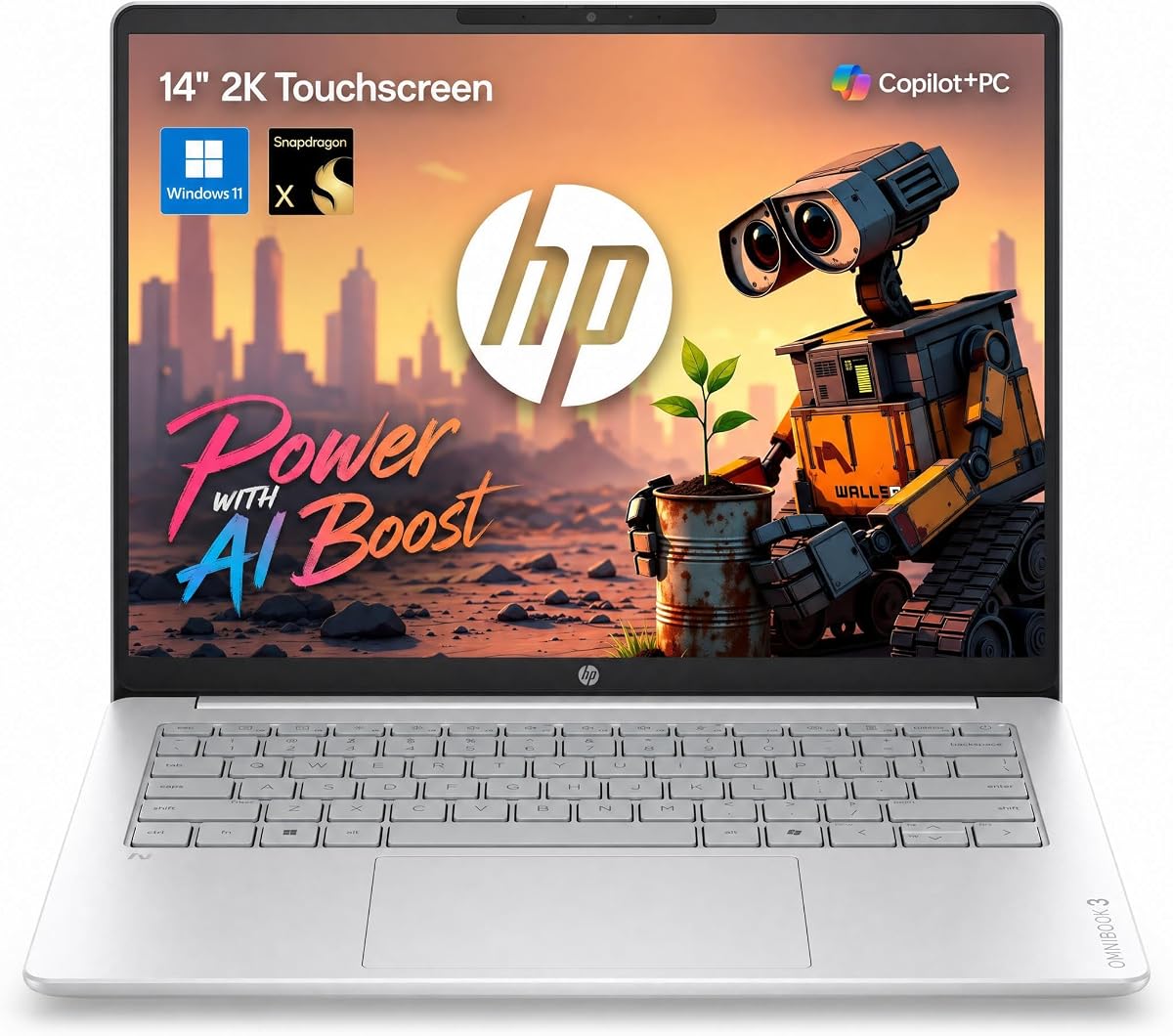
The HP OmniBook 3 14 2K is a 4.6-rated Copilot+ PC built around a Snapdragon X 8-core processor and a dedicated 45-TOPS NPU. It emphasizes efficient local AI, a compact 14-inch touchscreen chassis, and wireless flexibility rather than high-end discrete graphics or a large memory allocation.
We may earn a commission when you buy through this link, at no additional cost to you.
The 1920-by-1200 IPS touchscreen uses a 16:10 aspect ratio, reaches 300 nits, and occupies 88 percent of the chassis area according to the supplied information. At 3.13 pounds, the laptop is notably portable. Its 16GB LPDDR5X memory and 1TB PCIe Gen4 NVMe drive provide a conventional storage configuration for a modern Copilot+ system.
Battery life is advertised at up to 30 hours of local video playback, with the included 65-watt USB-C GaN charger able to move from empty to half capacity in about 45 minutes. The port selection includes two 10Gbps USB-C ports with power delivery and DisplayPort 1.4, two USB-A ports, HDMI 2.1, Wi-Fi 6E, and Bluetooth 5.3.
This model is a strong fit for mobile students and office users who value touch interaction, battery endurance, and a capable NPU. The main caveat is the 16GB memory ceiling, which is less ideal for large local models or intensive parallel work. Software compatibility should also be checked when moving between Windows x86 and Arm-based Snapdragon platforms.
The lightweight chassis, efficient Snapdragon platform, and long video-playback claim make this a natural choice for commuters and students. Its touchscreen also adds value for browsing, media, and presenting information directly.
Two full-featured USB-C ports, HDMI 2.1, and dual USB-A ports reduce the need for an everyday dongle. The 1080p IR camera supports Windows Hello, while a physical shutter provides straightforward visual privacy.
We may earn a commission when you buy through this link, at no additional cost to you.
The ASUS Vivobook S16 holds a perfect 5.0 rating in the supplied data and combines an AMD Ryzen AI 9 465 processor with up to 50 NPU TOPS. Its 32GB of memory, 1TB SSD, and 16-inch OLED panel position it as a refined productivity machine for multitaskers and creative users.
We may earn a commission when you buy through this link, at no additional cost to you.
The 1920-by-1200 OLED display provides the headline visual benefit, with rich contrast and narrow bezels suited to writing, media editing, and general creative work. The system weighs 3.75 pounds and measures 0.7 inches thick, balancing a large screen with reasonable portability. Dolby Atmos, ASUS Audio Booster, an array microphone, and Windows Hello add refinement.
The 70Wh battery is advertised at up to 23 hours of use, and fast charging is claimed to reach 60 percent in 49 minutes. Connectivity includes two USB 3.2 Gen 1 Type-C ports, two matching Type-A ports, HDMI 2.1, and a 3.5-millimeter audio jack. A physical camera shutter and IR camera support private, convenient sign-in.
The Vivobook S16 is an excellent general recommendation for a buyer who wants a high-rated AI PC without committing to a specialized developer workstation. Its 32GB memory and large OLED screen are particularly attractive. Wi-Fi 6 is the clearest specification compromise, so buyers with newer home networks may wish to confirm whether an upgrade matters to them.
A 16-inch 16:10 OLED provides a generous canvas, while 32GB of memory gives heavy multitasking and creative applications more room than the 16GB configurations found elsewhere in the guide.
The 180-degree hinge, backlit keyboard, camera shutter, IR camera, and full port selection make the Vivobook S16 practical for offices, study areas, and shared workspaces.
We may earn a commission when you buy through this link, at no additional cost to you.
The Acer Aspire 16 AI is a 4.2-rated Copilot+ PC offering a 45-TOPS Snapdragon NPU, a 16-inch 120Hz WUXGA display, and Wi-Fi 7. It is positioned as a value-focused model that prioritizes a large, smooth, color-accurate screen and modern connectivity over abundant memory or storage.
We may earn a commission when you buy through this link, at no additional cost to you.
Its 1920-by-1200 panel is specified at 100 percent sRGB, making it appealing for media, browsing, and light creative work. The Qualcomm Adreno GPU is listed at up to 1.7 TFLOPs, while the 8-core Oryon CPU handles standard tasks. A 1TB-class machine would be more flexible, but this configuration includes a 512GB PCIe Gen4 SSD.
The supplied specifications also highlight 1440p QHD webcam processing through Acer PurifiedView 2.0, automatic framing, background blur, gaze correction, and noise cancellation through Acer PurifiedVoice 2.0. Dual USB4 ports, USB-A connectivity, HDMI 2.1, Bluetooth 5.3, a camera privacy shutter, and a 180-degree hinge complete the practical feature set.
This laptop is a sensible value choice for users who want an AI-focused daily driver, a smooth large display, and modern ports. Its 16GB memory and 512GB storage may need attention later for large projects, but for office work, study, streaming, and typical Copilot+ features, the core configuration is well matched to its target audience.
The 120Hz refresh rate makes cursor movement and scrolling feel more fluid than a conventional 60Hz laptop screen. Full sRGB coverage also makes the panel more useful for color-sensitive everyday tasks.
The high-resolution webcam suite, automatic framing, portrait refinement, and AI noise cancellation are unusually detailed features. These tools can improve virtual meetings without requiring a separate camera.
We may earn a commission when you buy through this link, at no additional cost to you.
The NIMO 16 AI is built specifically for demanding local-AI, development, simulation, and high-resolution creative work. It combines the 16-core AMD Ryzen AI Max+ 395 processor, a 50-TOPS XDNA 2 NPU, Radeon 8060S graphics, 128GB of unified LPDDR5X memory, and a 2TB SSD, earning a 4.6 rating.
We may earn a commission when you buy through this link, at no additional cost to you.
Its most important advantage is the 256-bit unified memory pool. The supplied information says this arrangement helps avoid the restrictive memory capacity of many integrated GPUs and can support large local language models, Stable Diffusion workflows, and complex 8K timelines. The Radeon 8060S provides 40 compute units, while the Ryzen processor offers 32 threads and a high-performance operating envelope.
The 2560-by-1600, 165Hz display suits detailed editing and fluid multi-window work. Storage expansion is supported through dual PCIe 4.0 M.2 slots, while native Oculink, full-function USB4, HDMI 2.1, 2.5-gigabit Ethernet, and UHS-II card reading offer extensive connectivity. A physical webcam and microphone cutoff switch improves hardware-level privacy.
A 99Wh battery and included 230-watt adapter make this a mobile-capable workstation, but the size, cooling system, and power draw separate it from ordinary ultraportables. It is best suited to AI developers, engineers, advanced creators, or users who genuinely need the unified memory capacity rather than merely a Copilot+ badge.
The 128GB unified pool is the defining feature. It gives AI software a much larger working-memory budget than conventional 16GB or 32GB laptops while keeping the portability of an integrated system.
Native Oculink allows a high-speed external graphics connection without relying on a bandwidth-limited universal dock. Dual NVMe slots, 2.5-gigabit Ethernet, USB4, HDMI 2.1, and card reading cover data-heavy workflows.
We may earn a commission when you buy through this link, at no additional cost to you.
The ASUS Zenbook A16 AI pairs a Snapdragon X2 Elite Extreme processor with up to 80 NPU TOPS, making it the highest advertised NPU figure in this guide. It also carries a perfect 5.0 rating, 48GB of LPDDR5X memory, a 2TB SSD, and Windows 11 Pro in a thin 2.87-pound enclosure.
We may earn a commission when you buy through this link, at no additional cost to you.
Its 16-inch ASUS Lumina 3K 120Hz OLED touchscreen supports up to 1100 nits peak brightness, and six speakers add a strong multimedia dimension. The 90 percent screen-to-body ratio helps preserve portability despite the large display. A 70Wh battery and fast charging to 50 percent in about 30 minutes support mobile use.
The advertised AI capabilities include faster searches, file retrieval, summaries, real-time assistance, and background features handled on-device. High-speed LPDDR5X-9600 memory gives the processor ample capacity for multitasking, and the supplied information mentions storage capacity of up to 4TB across configurations, with this model listed at 2TB.
This is the premium pick for buyers who prioritize visual quality, portability, memory, and leading NPU performance. Its Windows 11 Pro license is useful for professional workflows, while the high-refresh OLED makes it especially attractive for media and creative work. As with other Snapdragon systems, checking software and driver support is advisable before committing.
At up to 80 TOPS, the X2 Elite Extreme NPU leads the field in the supplied specifications. That capacity supports more demanding local AI features while preserving energy efficiency for routine productivity.
The 3K 120Hz OLED panel offers high resolution, smooth motion, and strong peak brightness. Six speakers make the Zenbook A16 a more complete entertainment machine than many similarly compact competitors.
We may earn a commission when you buy through this link, at no additional cost to you.
The NIMO 17.3 Copilot+ combines an AMD Ryzen AI 9 HX 370 processor, 50-TOPS NPU, Radeon 890M integrated graphics, and a 17.3-inch 144Hz display. Its 4.5 rating reflects a flexible platform with unusual upgradeability for a laptop, including dual DDR5 SO-DIMM slots and dual M.2 storage positions.
We may earn a commission when you buy through this link, at no additional cost to you.
The Ryzen AI 9 HX 370 offers 12 cores and 24 threads according to the supplied information, with boost speeds up to 5.1GHz. Radeon 890M graphics are based on RDNA 3.5 and provide a significant improvement over basic integrated graphics for gaming, 3D work, and accelerated video tasks without a discrete GPU.
The Full HD 17.3-inch widescreen display provides substantial working space for spreadsheets, communication windows, and timelines. A 180-degree hinge allows the screen to lie flat for sharing. The keyboard includes a backlit numeric keypad, while an integrated fingerprint reader and camera privacy shutter improve everyday security.
This NIMO model is a good fit for buyers who prioritize screen size, high refresh, expansion, and strong integrated graphics over a highly portable form factor. Its stated weight of under 4.6 pounds and 0.74-inch thickness are helpful, but the 17.3-inch footprint will still feel less convenient than a 14-inch model. Memory expansion is a meaningful long-term advantage.
Dual SO-DIMM slots allow the installed 16GB to be expanded, unlike many thin Copilot+ laptops with soldered memory. Two PCIe 4.0 M.2 slots similarly provide a straightforward path to more storage.
The 144Hz Full HD panel is well suited to fast scrolling, games, and large multi-window arrangements. The 180-degree hinge also makes it easier to share content during collaborative sessions.
We may earn a commission when you buy through this link, at no additional cost to you.
The HP OmniBook 16 2K is a 4.6-rated business-style Copilot+ PC built around the AMD Ryzen AI 7 350, a 50-TOPS NPU, 32GB of memory, and a 2TB SSD. Its 16-inch 1920-by-1200 IPS touchscreen offers a practical productivity-oriented format.
We may earn a commission when you buy through this link, at no additional cost to you.
The Ryzen AI 7 350 is described as an 8-core, 16-thread processor built on Zen 5, reaching up to 5.0GHz. It combines that conventional processing power with a dedicated NPU for AI workloads, making the system well balanced for business software, communication, document handling, and supported Copilot+ features.
The anti-glare 300-nit touchscreen includes AMD FreeSync and narrow bezels. An IR camera supports Windows Hello, DTS:X Ultra handles audio, and the full-size backlit keyboard includes a numeric keypad. Two USB-C ports, two USB-A ports, and HDMI 2.1 provide a sensible desk setup, while Wi-Fi 6 and Bluetooth 5.4 support everyday connectivity.
This is a strong all-rounder for office users, students, and hybrid workers who want a large display and generous memory without moving to a specialized AI workstation. The 2K label refers to the 1920-by-1200 panel used in the supplied description, so buyers should note that it is not 2560-by-1600. Even so, the overall balance and 32GB memory make this a persuasive recommendation.
Windows 11 Pro, a numeric keypad, 32GB of memory, and 2TB storage create a practical foundation for office work. The hardware is better configured for long-term multi-application use than many entry-level 16GB systems.
The anti-glare touchscreen, IR camera, and DTS:X Ultra audio cover both interaction and collaboration. These details can be especially useful in offices where the laptop is used for presentations and regular video meetings.
We may earn a commission when you buy through this link, at no additional cost to you.
The Dell 16 Plus Touchscreen combines an Intel Core Ultra 9 288V vPro processor, 32GB of LPDDR5X memory, a 1TB NVMe SSD, and a 16-inch 1920-by-1200 touchscreen. Its 4.5 rating and business-oriented design make it a practical option for organizations or individuals that need modern AI hardware with familiar PC features.
We may earn a commission when you buy through this link, at no additional cost to you.
The processor is listed with 12 cores and speeds up to 5.3GHz. The supplied description identifies the NPU as a 12-TOPS component in one section while also stating that it supports up to 48 TOPS. That discrepancy should be checked with the seller, because advertised platform-level and workload-specific performance figures can refer to different measurements.
Intel Arc 140V graphics support AI-assisted content creation and video editing, while the 16:10 ComfortView display offers 300-nit brightness and touch input. A built-in FHD+ webcam, AI noise cancellation, Wi-Fi 7, Bluetooth 5.3, a backlit Copilot key, numeric keypad, and fingerprint reader cover communication and security needs.
The port suite is a major strength: one USB-A port, one 10Gbps USB-C port, Thunderbolt 4, HDMI 2.1, and a universal audio jack. This Dell is best for business users who value connectivity, familiar platform behavior, and expandable work comfort. Confirm the exact NPU rating and decide whether Windows 11 Home meets your management or security needs before buying.
Thunderbolt 4, HDMI 2.1, and USB-A allow the laptop to connect directly to several peripherals and displays. That reduces dock dependence and makes the system convenient in a fixed office or hybrid workspace.
The fingerprint reader, IR webcam, privacy-conscious backlit Copilot key, and AI noise cancellation support regular work use. The rounded, modular enclosure and narrow-bezel 16-inch display give it a professional appearance.
We may earn a commission when you buy through this link, at no additional cost to you.
The HP 16 Touchscreen AI has a perfect 5.0 rating and an ambitious listing that pairs an Intel Core Ultra 7 255U processor with a dedicated AI Boost NPU, 96GB of memory, and 8TB of storage. Its title and supporting description differ on memory and capacity, so prospective buyers should confirm the exact shipped configuration.
We may earn a commission when you buy through this link, at no additional cost to you.
The detailed description instead states 32GB of DDR5-5600 memory and a 1TB PCIe Gen4 NVMe SSD. Until the seller's final configuration is confirmed, it is safest to treat the listing title and bullet points as unresolved rather than assume either capacity is guaranteed. The processor and core platform nevertheless make this a relevant AI-laptop candidate.
Its 16-inch 1920-by-1200 IPS touchscreen offers 300-nit brightness, an anti-glare coating, and an 88 percent screen-to-body ratio. The 1080p FHD camera includes HDR auto switching and temporal noise reduction, while dual microphones and AI noise reduction support clearer calls. A physical shutter and illuminated microphone-mute key provide privacy controls.
The system weighs 3.61 pounds and includes a 45-watt USB-C GaN adapter with fast charging to 50 percent in about 45 minutes. Wi-Fi 7, Bluetooth 6.0, two 10Gbps USB-C ports, two USB-A ports, and HDMI 2.1 make it well connected. It is worth considering for mobile data-heavy work, but only after verifying the contradictory capacity details.
The listing title advertises 96GB and 8TB, while the supporting text lists 32GB and 1TB. A buyer should obtain a written confirmation of the actual RAM, storage, and exact processor before ordering.
The light chassis, privacy controls, 1080p camera, microphone array, and fast-charging adapter make the laptop well suited to commuting. Wi-Fi 7 and Bluetooth 6.0 provide a modern wireless foundation.
We may earn a commission when you buy through this link, at no additional cost to you.
Choosing an AI laptop requires looking beyond a TOPS figure and considering how the processor, NPU, memory, software, display, and physical design support the workloads you actually intend to run.
TOPS provides a rough indication of a neural engine's theoretical throughput, but real application performance also depends on software optimization, data transfer, thermal limits, and the CPU and GPU working alongside the NPU. The laptops here range from 45 TOPS in Snapdragon configurations to as much as 80 TOPS in the ASUS Zenbook A16, while AMD and Intel models also advertise 50-TOPS-class platforms. Check whether the applications you need support the specific NPU architecture and whether the relevant features operate locally or still depend on cloud services.
Memory determines how much work can remain active at once and whether large AI models, creative timelines, virtual machines, and many browser-based applications can run smoothly. The list includes 16GB configurations, 32GB and 48GB systems, and the NIMO 16's unusual 128GB unified pool. Traditional users may find 16GB adequate for daily productivity, but local-model development, large datasets, high-resolution editing, and professional multitasking benefit from substantially more. Pay attention to whether memory is soldered, upgradeable, or shared with graphics.
A dedicated NPU does not replace the processor or graphics system. Large language models, compilers, simulations, video exports, and games still place substantial demands on CPU threads, GPU resources, storage bandwidth, and cooling. AMD Ryzen AI systems such as the Vivobook S16 and NIMO models pair their NPUs with capable integrated graphics, while the NIMO 16 goes further with 16 processor cores and Radeon 8060S graphics. Match the platform to the dominant workload rather than assuming a Copilot+ label signals workstation-class capability.
The guide includes 14-inch 1920-by-1200 panels, a 16-inch 120Hz display, OLED options, and a high-resolution 2.5K 165Hz screen. Resolution improves text and image clarity, while higher refresh rates make scrolling and motion feel smoother. Touchscreens add direct interaction and presentation value, and 100 percent sRGB coverage is useful for visual work. Consider both resolution and quality: a large but dim or low-color-accuracy screen may be less satisfying than a smaller panel with strong brightness and contrast.
Advertised battery figures are usually based on controlled video playback, so real use varies with screen brightness, workload, radios, and power settings. The HP OmniBook 3 claims up to 30 hours of local video playback, while the Acer Aspire 14 lists up to 22 hours. Fast charging is also important: some systems reach 50 percent in roughly 30 to 45 minutes. For travel, compare charger size and USB-C charging support, and consider whether a high-performance workstation configuration can realistically sustain its advertised figures.
AI datasets, model files, RAW video, and project files can consume considerable space. The selections range from a 512GB PCIe Gen4 SSD to configurations listing 2TB or more. PCIe Gen4 provides fast transfer and boot performance, but storage capacity still matters when working with large models or media. The NIMO 16 supports dual M.2 expansion, while several thinner laptops have fixed storage. External storage and card readers can add flexibility, but they should complement rather than replace adequate internal capacity.
A capable NPU does not eliminate the need for physical connectivity. USB4 and Thunderbolt 4 support high-speed data transfer, displays, and power delivery, while HDMI simplifies external-monitor setups. USB-A remains useful for peripherals, and a full-size SD card reader or Oculink can materially improve a creative or development workflow. Wi-Fi 7, Wi-Fi 6E, Wi-Fi 6, and Bluetooth 5.3 or newer cover the wireless options represented here. Choose based on your existing dock, monitors, storage, and network equipment.
An AI laptop still needs to fit the way it will be used. The Zenbook A16 weighs 2.87 pounds, the HP OmniBook 3 weighs 3.13 pounds, and the NIMO 17.3 offers a much larger workspace. Privacy features range from IR cameras and fingerprint readers to physical camera shutters, microphone cutoffs, and keyboard mute keys. A durable-feeling aluminum enclosure, comfortable keyboard, reliable hinge, and adequate cooling are also important because sustained AI workloads can generate more heat than light office tasks.
Begin by installing the operating-system updates and current drivers offered by the laptop manufacturer, then confirm that your preferred AI applications recognize the NPU. Some Copilot+ features depend on staged software rollouts, regional availability, or specific hardware support. Running a small supported workload first can verify performance before you move an important project onto the machine.
Use the manufacturer's control applications to select balanced, performance, or power-saving modes, and keep the NPU software current. Allow adequate ventilation, avoid blocking the intake or exhaust, and use a firm surface during intensive AI, rendering, or compilation tasks. Close memory-heavy applications when possible, maintain free storage, and back up projects regularly.
For travel, use the supplied or a compatible USB-C charger, adjust screen brightness and power settings, and disable unused radios when appropriate. Clean the display with a soft, lightly dampened cloth, avoid placing liquids near the machine, and use the physical camera or microphone controls when privacy is important. Follow the manufacturer's warranty guidance for repairs, upgrades, and service.
An NPU, or neural processing unit, is dedicated hardware designed to accelerate AI-related calculations such as speech recognition, image processing, background effects, and language-model operations. It works alongside the CPU and GPU, which continue to handle general computing and graphics. Actual benefits depend on application support and how efficiently the software uses the accelerator.
No. TOPS describes a theoretical performance measure, but real-world results also depend on processor speed, memory capacity, data transfer, cooling, power limits, and software optimization. A model with 45 TOPS and excellent compatibility may be more useful for a particular task than a higher-TOPS system whose key applications are not fully supported.
For general productivity, web applications, document work, and supported Copilot+ features, 16GB can be adequate. Large local language models, video editing, virtual machines, engineering tools, and heavy multitasking benefit from 32GB or more. The NIMO 16's 128GB unified memory is aimed at a substantially more demanding local-AI workload.
Some models can run locally when the software, operating system, and hardware are compatible, but the practical model size depends on available unified memory and the application's requirements. Cloud services remain important for some tasks, and 16GB systems are generally more constrained than systems with 48GB, 64GB, or 128GB. Check both model support and the exact memory configuration.
Intel and AMD platforms are familiar choices for broad Windows application compatibility, while Snapdragon systems can provide strong efficiency and dedicated NPU performance. Qualcomm-based laptops may require checking support for specialist engineering, creative, security, or virtual-machine software. Existing application requirements should guide the decision more strongly than processor branding alone.
No, a higher refresh rate primarily improves motion smoothness and the visual experience. It does not increase NPU throughput or accelerate local AI workloads. For those tasks, processor capability, memory bandwidth, storage speed, cooling, and software support are more relevant, although a smoother screen can improve the overall experience while using AI tools.
No. Feature availability can depend on the exact configuration, software version, region, hardware support, and staged rollout. The Acer listings specifically note that experiences may require updates and that timing can vary. Confirm the current status of Recall, Click to Do, and other features for the exact model before purchasing.
Ask the seller to confirm the processor, NPU TOPS, memory type and capacity, storage capacity, display resolution, operating system, and warranty in writing. Some listings combine a configuration headline with bullets that describe another version. Written confirmation protects the buyer and makes it easier to compare the machine with alternatives.
The Acer Aspire 14 AI stands out as the balanced editor's choice with its capable Intel platform, 47-TOPS NPU, practical 14-inch display, and comfortable mobile design. The Acer Aspire 16 AI is the value-focused option for shoppers prioritizing a 120Hz color-accurate screen and modern ports, while the ASUS Zenbook A16 is the premium selection with up to 80 NPU TOPS, a 3K OLED display, 48GB of memory, and exceptional portability.
Other buyers may find better fits in the ASUS Vivobook S16's polished 32GB OLED configuration, the NIMO 16's 128GB local-AI platform, the upgradeable NIMO 17.3, or the business-oriented HP and Dell models. Prioritize software compatibility, enough memory for your heaviest tasks, the quality of the display, and a port selection that matches your existing equipment rather than relying solely on NPU ratings.
Specifications, configurations, and market conditions can change, so review the seller's current listing before ordering. Confirm the exact memory and storage on any model with conflicting details, verify that essential applications support the processor architecture, and compare current availability. A careful configuration check is the best final step in choosing an AI laptop that will remain useful after the headline TOPS figure loses its novelty.