
Acer 24-Inch Conferencing Monitor
5.0Editor score
Five-point ergonomic adjustment
Built-in conferencing hardware
Compact 1080P IPS display
Monitors with built in speakers and cameras combine a display, webcam, microphone, and audio system in one workspace-friendly package. They can simplify video calls, online learning, and everyday computing while reducing cable clutter, though image and sound quality still vary considerably between models.
This guide compares ten monitors using the specifications and feature details supplied for each product. The evaluation considers screen size, resolution, refresh rate, camera design, microphone capabilities, speaker performance, connectivity, ergonomics, eye-care features, and practical value.
Each pick highlights a different balance, from compact Full HD business displays to expansive ultrawide and 4K models. The recommendations reflect the available product information rather than hands-on testing, and current prices, promotions, compatibility, and availability can change over time.
5.0Editor score
4.3Editor score

4.9Editor score
As an Amazon Associate we earn from qualifying purchases.
The table below compares the ten models by display, conferencing hardware, connectivity, and workspace flexibility, helping narrow the field before reviewing each monitor in detail.



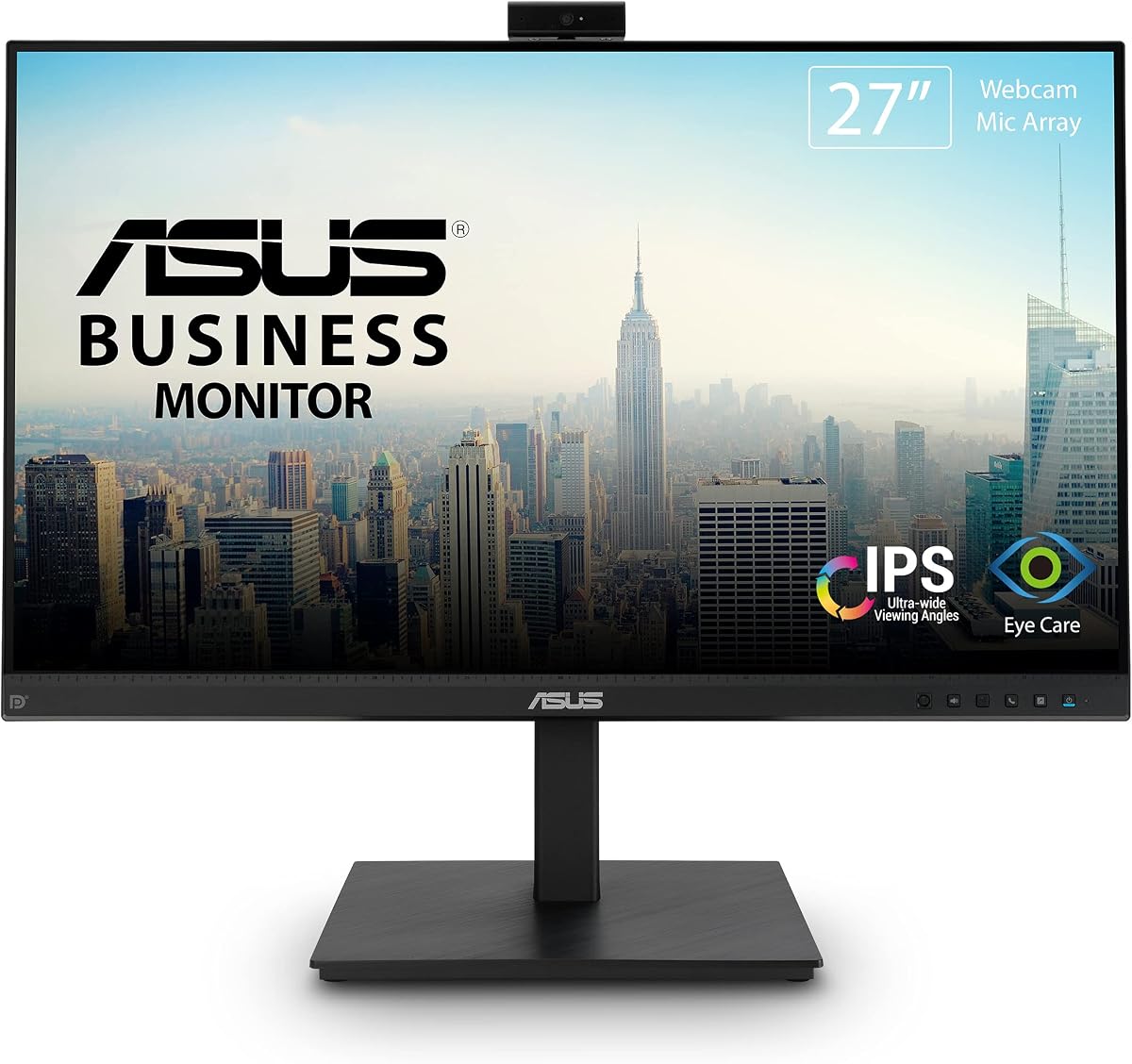
The ASUS BE279QSK combines a 27-inch Full HD IPS display with an adjustable Full HD webcam, microphone array, and stereo speakers. Its 4.3 rating reflects a generally capable package, and the product stands out for balancing conferencing hardware, broad connectivity, and unusually flexible stand adjustment in a business-focused design.
We may earn a commission when you buy through this link, at no additional cost to you.
The camera can be repositioned for a more useful framing, while the microphone array and stereo speakers eliminate the need for a separate webcam, microphone, and basic desktop speaker setup. DisplayPort, HDMI, VGA, USB upstream for the webcam, audio input, and an earphone jack give the monitor broad compatibility with office laptops, desktops, and legacy equipment. The stand supports tilt, 180-degree swivel, 90-degree pivot, and 150 millimeters of height adjustment.
Its main limitation is the 1920 by 1080 resolution. At 27 inches, that remains a practical general-purpose resolution, but it does not offer the fine detail or room of a QHD or 4K display. The listed feature set also lacks USB-C docking, so a laptop user may not be able to connect video, data, and power through one cable. For users prioritizing dependable video calls and flexible hardware access, however, those trade-offs are reasonable.
This is the strongest general recommendation for offices, remote workers, and students who want a large IPS panel without sacrificing the functionality of a dedicated webcam and speaker set. It is especially attractive when a simple full-size 1080P display is preferred over a more specialized ultrawide or 4K model.
The adjustable camera, microphone array, and stereo speakers make the monitor useful for calls, online learning, and collaboration without requiring several separate desk peripherals. This integration is the core reason to choose it over a conventional display with the same panel size.
DisplayPort, HDMI, VGA, USB upstream, audio input, and a headphone connection provide useful options for newer and older systems. That range is particularly helpful in shared offices or mixed-device environments.
We may earn a commission when you buy through this link, at no additional cost to you.
The ASUS BE24EQK is a 24-inch Full HD business monitor designed around telecommuting and online learning. It has a 4.0 rating and brings together an integrated adjustable 2MP Full HD webcam, microphone array, stereo speakers, and a frameless IPS panel in a relatively compact package.
We may earn a commission when you buy through this link, at no additional cost to you.
Its audio features deserve particular attention because the microphones use beamforming and echo cancellation to filter ambient noise, including keyboard sounds. That makes the built-in communication system more purposeful than simply adding speakers and a camera to a generic screen. Wide 178-degree viewing angles and typical 300-nit brightness also support clear visibility from different positions in a home or shared workspace.
The main constraint is connectivity. Although the product title mentions VGA, the supplied feature details specifically emphasize DisplayPort and HDMI, while no USB upstream, audio input, or USB-C docking is listed. The 24-inch Full HD format is also less expansive than the larger models in this guide, although that can be advantageous where desk depth is limited. The included three-year warranty and advanced replacement service add confidence for office buyers.
Choose the BE24EQK when clear call handling, a frameless business display, and straightforward Full HD operation matter more than maximum screen area. It suits professionals seeking a dedicated video-conference monitor without needing the ultrawide canvas or high pixel density found in higher-end alternatives.
Beamforming and echo-cancellation technology target voices while reducing distracting background noise. These processing features make the built-in array a meaningful benefit during meetings and online classes.
The 24-inch 16:9 frameless display gives users a familiar workspace that is easier to fit into compact desks. Wide IPS viewing angles help maintain consistent clarity when collaborating with nearby colleagues.
We may earn a commission when you buy through this link, at no additional cost to you.
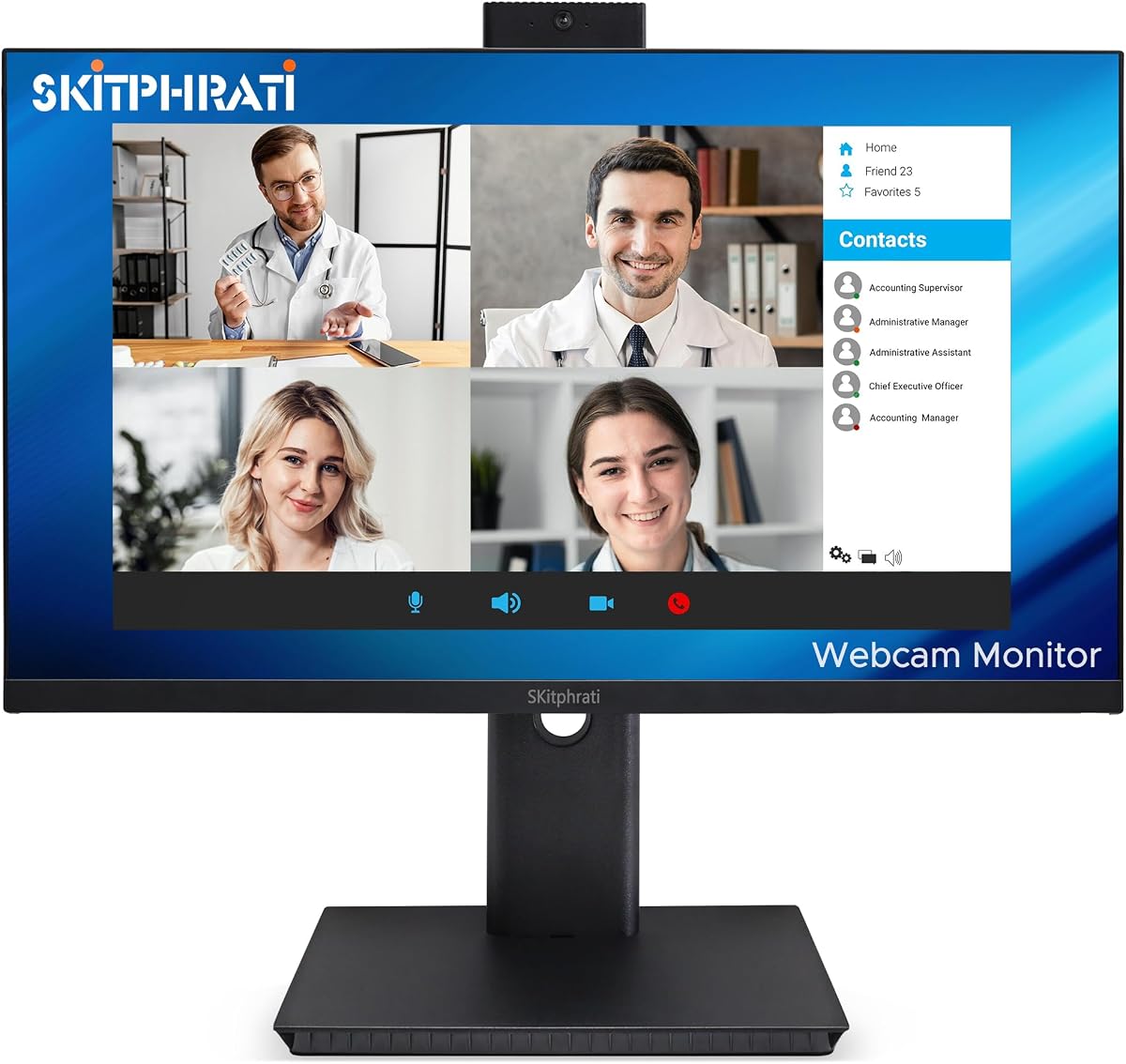
The SKitphrati 27-inch Business Webcam Monitor combines a 1080P IPS panel, 120Hz refresh rate, an adjustable 3MP camera, a microphone array, and stereo speakers. Its 4.0 rating and extensive port selection make it a versatile option for offices and homes that regularly switch between productivity, presentations, calls, and casual visual use.
We may earn a commission when you buy through this link, at no additional cost to you.
A notable strength is the 120Hz refresh rate, which makes this model more fluid during everyday interaction than a standard 60Hz business display. HDMI, DisplayPort, VGA, and USB 2.0 broaden device compatibility, while the frameless construction and eye-care features keep the design focused on prolonged use. Built-in stereo speakers mean video calls and presentation playback do not automatically require external desktop audio.
The 1080P resolution is the principal compromise. It provides less screen detail than the QHD CUNPU and 4K Samsung M8, and it does not offer the pixel density of a professional 4K workspace. As with many business-oriented screens, USB-C charging and docking are not listed. Buyers who need a laptop connection with a single cable should verify whether USB 2.0 is intended only for camera or control communication.
This monitor is well suited to users who prioritize smooth motion, a larger 27-inch canvas, and broad input choices over maximum resolution. It is a compelling all-around conferencing display for general office use, remote meetings, education, and mixed desktop configurations.
The 120Hz refresh rate supports more fluid cursor movement, scrolling, and general screen interaction. That makes the monitor useful beyond static office documents without requiring an ultra-high-performance gaming specification.
HDMI, DisplayPort, VGA, and USB 2.0 cover modern digital sources, older display standards, and a wired peripheral path. The variety is helpful for flexible or evolving workstation setups.
We may earn a commission when you buy through this link, at no additional cost to you.
The Philips 34E1C5600HE is an ultrawide productivity and conferencing monitor with a 3440 by 1440 QHD panel, 1500R curve, built-in 5MP Windows Hello webcam, noise-canceling microphone, stereo speakers, and USB-C docking. Its 3.8 rating is the lowest in this group, but the feature set is unusually complete for a large curved display.
We may earn a commission when you buy through this link, at no additional cost to you.
The 21:9 format creates considerably more horizontal room than a standard 16:9 monitor. That is useful for arranging documents, communication windows, timelines, and other applications side by side. The 100Hz refresh rate, 1500R curve, and Ultra Wide-Color technology add visual fluidity and immersion, while USB-C can carry high-resolution video, data, and up to 65 watts of power to a compatible laptop.
Its trade-offs are the large footprint, the lower supplied rating, and the inherent limitations of a curved panel in certain desk layouts. The webcam also depends on Windows Hello for its stated facial-recognition function, so users outside that ecosystem may receive less value from that particular feature. VA technology and the curved format may also require more care when positioning the display at a shared desk.
The Philips is best for mobile professionals, multitaskers, and remote workers who want one wide screen to function as a conference hub and productivity display. Its one-cable laptop workflow and generous horizontal canvas outweigh the trade-offs for users who can accommodate its size and curve.
USB-C transfers video, high-speed data, and up to 65 watts of power through one connection. This can simplify a portable workstation while leaving the monitor's USB-C docking capability central to daily use.
The 3440 by 1440 resolution and 21:9 aspect ratio create a broad canvas for side-by-side applications. It is especially useful when users regularly keep a call, document, and shared reference visible together.
We may earn a commission when you buy through this link, at no additional cost to you.
The Acer 24-inch 1080P IPS Conferencing Monitor is a compact, feature-complete option with a 5.0 rating, the highest supplied score among these ten products. It includes a Full HD IPS panel, 75Hz refresh rate, built-in speakers, microphone arrays, and a webcam, covering the essential needs of a video-enabled office display.
We may earn a commission when you buy through this link, at no additional cost to you.
Its physical design is straightforward and practical. Tilt, swivel, and height adjustment make it easier to align the screen, while anti-glare, 250-nit brightness, and wide 178-degree viewing angles support ordinary office use. HDMI, VGA, and DisplayPort provide several ways to connect devices, and AMD FreeSync support can synchronize the refresh rate with compatible computer output for smoother playback.
As a 23.8-inch 1080P model, it does not offer the expansive working area of the Philips or Samsung ultrawide displays, nor the pixel density of the 4K Samsung M8. It is also limited to 75Hz, so the SKitphrati, CUNPU models, and ViewSonic are stronger choices for users who prioritize higher refresh rates. No USB-C power delivery is listed.
The Acer nevertheless represents a compelling balanced package for budget-conscious buyers who need a complete conference setup in one display. It is particularly suitable for home offices, shared workspaces, and organizations seeking a compact 1080P monitor without giving up integrated camera and audio hardware.
The webcam, microphone arrays, and speakers cover the central hardware needed for online communication. This makes the monitor practical for routine meetings and online learning without a multi-device desk arrangement.
Height, swivel, and tilt controls allow the display to match different users and desk arrangements. Combined with an anti-glare IPS panel, that flexibility supports a practical everyday office setup.
We may earn a commission when you buy through this link, at no additional cost to you.
The CUNPU 24-inch Camera Monitor pairs a Full HD IPS display with a pop-up 5MP 2K webcam, dual-channel stereo microphone, and speakers. Its 4.1 rating is supported by a strong feature set that includes a 120Hz HDMI refresh rate, 10ms response time, detailed color specifications, and one of the most adjustable stands in this selection.
We may earn a commission when you buy through this link, at no additional cost to you.
The pop-up camera is the defining feature. Retracting it hides the lens when it is not needed, offering a direct privacy advantage over a permanently exposed fixed camera. USB-B 2.0 upstream connectivity links the camera with a compatible PC or laptop, while the dual-channel microphone and integrated speakers create a unified meeting station. The IPS panel covers 96% sRGB, delivers 16.7 million colors, and has a specified Delta E of no more than two.
Connectivity is less advanced than on some rivals because there is no listed USB-C charging or docking. HDMI supports 120Hz, while VGA is limited to 75Hz. Despite those limitations, the stand offers 5.31 inches of height adjustment, 35-degree swivel in either direction, 90-degree pivot, and tilt, plus 100 by 100 millimeter VESA compatibility. DC dimming, a matte anti-glare surface, and a Kensington lock add further practical value.
Choose this model for users who value a clean desktop, camera privacy, smooth 1080P performance, and precise positioning. It is a strong general-purpose conferencing display, especially for shared or semi-private work areas where leaving a camera exposed would be undesirable.
The pop-up 5MP camera can be hidden when the monitor is not being used for communication. That physical concealment offers a straightforward privacy benefit in offices where an exposed lens may be distracting or unwanted.
A 120Hz refresh rate, 10ms response time, 96% sRGB coverage, and low stated color difference create a well-balanced panel for presentations, spreadsheets, and multimedia. DC dimming and an anti-glare surface improve daily comfort.
We may earn a commission when you buy through this link, at no additional cost to you.
The CUNPU 27-inch Camera Monitor is a QHD conferencing display with a pop-up 5MP 2K webcam, dual-channel stereo microphone, built-in speakers, and a 120Hz refresh rate. It holds a 4.1 rating and is one of the few models in the guide to combine a higher-resolution workspace, a privacy-oriented camera, and a high refresh rate.
We may earn a commission when you buy through this link, at no additional cost to you.
Its 2560 by 1440 panel provides more working detail and space than a 1080P display, while the stated 120Hz refresh rate applies through both HDMI 2.0 and DisplayPort 1.4. The 10ms response time, AMD FreeSync, and G-Sync compatibility make the monitor more versatile for casual gaming and fluid desktop interaction. Color specifications include 99% sRGB, 16.7 million colors, and 8-bit depth.
The pop-up camera and USB-B 2.0 upstream path create a cleaner desk when conferencing is inactive, while the microphone and speakers cover routine communication needs. DC dimming, an anti-glare surface, 300-nit brightness, and a 1500:1 contrast ratio support sustained use. As with the 24-inch CUNPU, the stand is highly adjustable and VESA-compatible, and a Kensington lock is included. The omissions are USB-C power delivery and smart-TV functionality.
This is an excellent choice for users who need more detail than 1080P without moving to a 4K or ultrawide format. It is particularly compelling for hybrid workers and students who spend substantial time in calls, want a smooth interface, and appreciate the ability to physically conceal the camera.
The combination of 2560 by 1440 resolution and 120Hz refresh rate provides more detail without sacrificing interface fluidity. It is a versatile middle ground for productivity, creative review, video, and casual gaming.
Height, swivel, pivot, and tilt controls allow the display to adapt to different users. A quick-release base, VESA support, and Kensington lock add flexibility for installation, repositioning, and physical security.
We may earn a commission when you buy through this link, at no additional cost to you.
The ViewSonic VG2441V is a 24-inch Full HD webcam monitor with a 120Hz refresh rate, built-in 5MP infrared camera, microphone, speakers, and USB-C connectivity. Its 4.1 rating aligns with other strong performers in the group, while the IR camera and Windows Hello support distinguish it as a practical conference display.
We may earn a commission when you buy through this link, at no additional cost to you.
The infrared webcam can support compatible Windows Hello sign-in, making it useful in business, hybrid, shared-office, and home environments. USB-C, HDMI, and DisplayPort provide flexible connections for compatible laptops and desktops, while the integrated microphone and speakers support calls, meetings, training, presentations, and collaboration. Full HD resolution remains the practical center of the display specification.
The 24-inch panel is smaller than the larger ultrawide and 27-inch options, and the supplied information offers fewer details about color coverage, brightness, and stand adjustment. It also lacks the QHD resolution of the 27-inch CUNPU and the 4K detail of the Samsung M8. Nevertheless, 120Hz motion and a modern port selection make it more current-looking than many conventional 60Hz office monitors.
The ViewSonic is best for Windows-focused professionals who want straightforward USB-C connectivity, facial-recognition support, and integrated meeting hardware in a conventional monitor size. It is particularly relevant for users who prioritize a quick sign-in workflow and modern connectivity over a large or high-resolution workspace.
The 5MP infrared camera supports compatible Windows Hello authentication on Windows devices. That turns the integrated camera into more than a meeting tool when the operating system and software support facial sign-in.
USB-C, HDMI, and DisplayPort support different computer and display arrangements. The built-in microphone and speakers keep everyday calls and presentations self-contained within the display.
We may earn a commission when you buy through this link, at no additional cost to you.
The Samsung ViewFinity S65VC combines a 34-inch 1000R curved Ultra-WQHD display with a retractable Windows Hello camera, built-in speaker, USB-C connectivity, LAN support, and an integrated KVM switch. Its 4.0 rating reflects a broad, productivity-focused feature set with clear advantages for users managing multiple computers.
We may earn a commission when you buy through this link, at no additional cost to you.
The 21:9 panel provides a wide workspace for arranging applications side by side. A 100Hz refresh rate and AMD FreeSync support smooth playback and everyday movement, while HDR10 and the stated one-billion-color capability improve the handling of bright highlights, dark areas, and varied content. The camera retracts into the monitor to preserve a clean profile and support password-free Windows Hello sign-in when compatible.
USB-C carries data, video, and power through one cable, and the LAN port allows a laptop without an Ethernet connection to use a wired network. The KVM switch can control two sources with one keyboard and mouse, with split-screen, picture-in-picture, and picture-by-picture layouts. The built-in speaker can eliminate a basic desktop audio device, while height adjustment, tilt, and swivel support positioning. The 1000R curve and large footprint, however, require adequate desk depth, and the 100Hz rate trails the 120Hz alternatives.
This Samsung is best for multitaskers, hybrid workers, and shared professionals who need expansive space, secure biometric sign-in, and easy multi-computer control. It is especially useful when a single screen must replace several smaller panels.
The integrated KVM switch and multiple display layouts reduce the inconvenience of switching between two computer systems. USB-C and LAN support also streamline a laptop-centered professional desk.
The 1000R curve wraps content around the viewer while maintaining a broad ultrawide workspace. It can improve immersion and make a large screen feel more integrated with a seated viewing position.
We may earn a commission when you buy through this link, at no additional cost to you.
The Samsung M8 M80F is a 32-inch 4K UHD smart monitor with a detachable SlimFit camera, built-in 10W speakers, USB-C power delivery, and Samsung's AI and smart-TV platform. Its 4.9 rating is the second highest supplied score, and it is the most complete standalone entertainment and productivity option in the group.
We may earn a commission when you buy through this link, at no additional cost to you.
The 3840 by 2160 panel supplies a large, detailed workspace, while 3000:1 contrast, HDR10+, a 60Hz refresh rate, and 4ms response time provide a strong visual foundation. Samsung Vision AI adds 4K AI upscaling and AI picture optimization, while smart-TV apps, Samsung TV Plus, Gaming Hub, AirPlay, Wi-Fi, and Bluetooth allow the display to operate without a connected PC. The detachable camera also means it does not have to remain permanently positioned above the screen.
Its main weakness is the 60Hz refresh rate, which is lower than the 100Hz or 120Hz alternatives and may not appeal to users seeking a high-motion display. Access to smart applications and streaming services requires a suitable network connection. The VA panel and 4K resolution also mean a powerful graphics setup may be needed to drive the display at its full potential in demanding games. Nevertheless, the included 10W speakers are more substantial than the unspecified integrated audio systems elsewhere in the guide.
Choose the M8 for users who want a premium 4K workspace, smart functions, flexible camera placement, and strong built-in audio. It works particularly well as a hybrid productivity and entertainment display, provided the 60Hz refresh rate fits the intended use.
Smart TV applications, Samsung TV Plus, Gaming Hub, AirPlay, Wi-Fi, and Bluetooth extend the display beyond a traditional computer terminal. This makes the M8 useful for streaming and casual use even when a PC is not connected.
The 4K UHD panel provides a high level of detail across 32 inches, while the built-in 10W speakers offer a clearly defined audio specification. Together, they create a more complete home-office and media setup.
We may earn a commission when you buy through this link, at no additional cost to you.
The right conference monitor depends on the size of your workspace, the types of computers you use, the resolution required by your applications, and how much importance you place on privacy and call quality. Compare the essential hardware and display features before choosing a model.
Choose resolution and size based on your actual workflow, not only on the largest available specification.
Prioritize camera placement, privacy, and sign-in compatibility before considering resolution alone.
Look for noise handling and stereo microphone specifications, but also consider whether professional audio equipment is required.
Choose 120Hz for maximum fluidity, or save attention for resolution and smart features when 60Hz is adequate.
Match inputs, video standards, upstream data, and power delivery to every computer you intend to connect.
Check the full range of stand adjustments, base footprint, and VESA support before committing to a large model.
Flicker control, low-blue-light features, anti-glare surfaces, and adaptive brightness improve daily comfort.
Choose a concealed or detachable camera for shared spaces, and consider a security lock where theft is a concern.
Begin by connecting the display with the appropriate video cable and, when required, the USB upstream connection for the integrated camera and microphone. If using USB-C docking or power delivery, confirm that the connected laptop supports the required video, data, and charging functions. Install the necessary camera and microphone permissions in the operating system, then test the devices in a short video call before relying on them for an important meeting.
Adjust the height, tilt, swivel, and viewing angle so the screen sits comfortably at eye level. Position the camera for useful framing without creating awkward eye contact, and avoid placing the microphone where it will be obstructed. Keep the camera retracted, hidden, or detached when it is not needed, especially in a shared space. For privacy-sensitive tasks, review the application controls and operating-system indicators to confirm the camera is not active.
Clean the screen and camera lens with a soft, lint-free cloth, avoiding harsh liquids and excessive pressure. Keep vents unobstructed and place the monitor where speakers will not be blocked. Periodically check the camera, microphone, and speaker permissions, update the relevant system software, and adjust brightness, color temperature, and eye-care settings to suit the room. Taking a short break away from the screen each hour also supports a more comfortable long-term workspace.
They can be convenient for everyday calls because they combine a camera, microphone, and display in one unit. Image quality and microphone performance vary by model, so users who regularly present or record should consider the stated camera resolution, noise handling, and lighting. A separate webcam or microphone may still be appropriate for specialized work.
Full HD is adequate for standard office work and typical calls on a 24- or 27-inch screen. QHD provides more detail and workspace on a 27-inch display, while 4K offers the highest pixel density but usually appears on larger models. Choose the resolution that matches your applications and how closely you sit to the display.
It depends on the microphone design and room conditions. The ASUS BE24EQK lists beamforming and echo cancellation, the Philips lists a noise-canceling microphone, and the CUNPU models use dual-channel arrays. These features can improve clarity, but a quiet room, proper placement, and a separate microphone can still produce better results for critical calls.
A pop-up or retractable camera is useful when physical privacy matters because the lens can disappear when not in use. The CUNPU models and Samsung ViewFinity use this approach. You should still check the application's software indicators because hiding the lens does not automatically guarantee that every application has stopped using it.
Not necessarily, but it can make a laptop setup simpler when the port supports video, data, and power delivery. The Philips, ViewSonic, and Samsung ViewFinity include USB-C, and the Samsung M8 supports USB-C charging. If your computer lacks that support, HDMI and DisplayPort remain widely available alternatives on many of these monitors.
The integrated speakers are designed to cover calls, demonstrations, and ordinary media use. The Samsung M8 goes further with specified 10W speakers, while most other models do not publish comparable output figures. External speakers may still be worthwhile for louder audio, music, or professional presentations.
Place the camera at a useful height and angle for natural framing, with the lens unobstructed and pointed toward the primary user. A monitor that sits too low can create an unflattering upward angle, while a camera placed too far to the side may make eye contact appear unnatural. Test the framing in the application you use most.
They can make scrolling, pointer movement, and other interactions feel smoother than on a 60Hz panel. The SKitphrati, CUNPU 24-inch, CUNPU 27-inch, and ViewSonic provide 120Hz refresh rates. The trade-off is that the premium 4K Samsung M8 operates at 60Hz, so the best choice depends on whether display detail, smart features, or motion smoothness matters more.
The ASUS BE279QSK is the most balanced overall choice, combining a 27-inch Full HD IPS display, adjustable camera, microphone array, stereo speakers, extensive connections, and flexible ergonomics. The Acer 24-inch Conferencing Monitor stands out as a compact value option, while the Samsung M8 M80F takes the premium route with a 32-inch 4K display, smart functions, detachable camera, and 10W speakers.
Prioritize camera privacy, microphone features, display size, and the connections your computer actually needs. The CUNPU models suit users who want a concealed camera, high refresh rates, and strong adjustment, while the ultrawide Philips and Samsung ViewFinity serve people who need more horizontal workspace. The ViewSonic is especially relevant to Windows Hello users seeking a compact USB-C conference setup.
Before purchasing, verify the current specifications, operating-system compatibility, stand dimensions, and available ports. Prices, promotions, bundles, and availability may change, so compare the latest listing information rather than relying on an old deal or review. The right monitor should balance a comfortable image with dependable communication hardware for the way you actually work.