
MOTONG 8K Micro HDMI to MINI HDMI Cable
5.0Editor score
48Gbps HDMI 2.1 bandwidth
8K at 60Hz support
Extendable coiled cable
Discover the best HDMI Micro to Mini Cable options, comparing 4K performance, connector type, length, durability, compatibility, and support for cameras and
HDMI Micro to Mini cables connect two compact video ports that are commonly found on cameras, compact computers, Raspberry Pi boards, and portable monitors. A quality cable should provide a secure connection, dependable signal transmission, and enough bandwidth for the resolution and frame rate used by your equipment.
We compared the ten cables in this guide by examining their connector configurations, supported resolutions, bandwidth, cable length, shielding, construction, and stated device compatibility. The list includes straightforward braided cables, short portable options, and coiled HDMI 2.1 designs for higher-resolution workflows.
Each pick highlights a different practical advantage, from dependable everyday connectivity to specialized travel or high-refresh-rate setups. Ratings and specifications can change over time, and current prices, availability, and retailer policies should always be checked before purchase.
5.0Editor score

4.9Editor score

4.7Editor score
The following comparison places every cable side by side, with attention to connector format, resolution, bandwidth, length, and construction so buyers can quickly identify the option suited to their equipment.


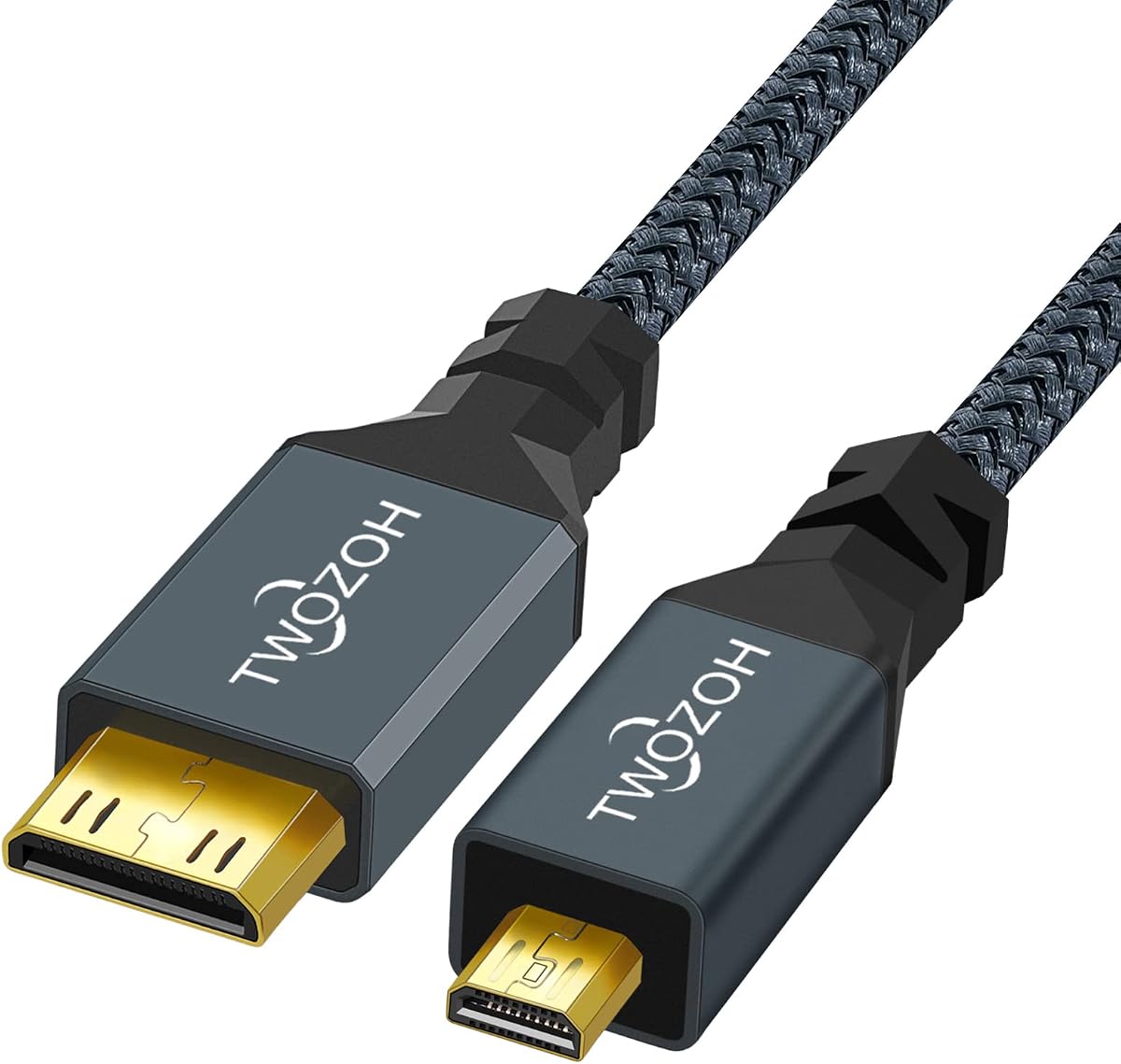


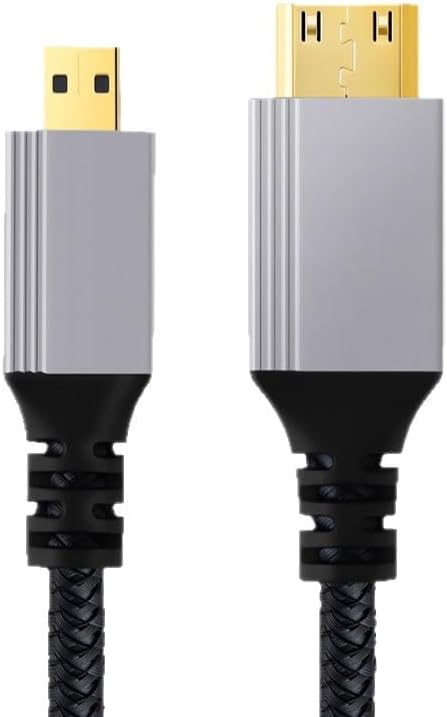
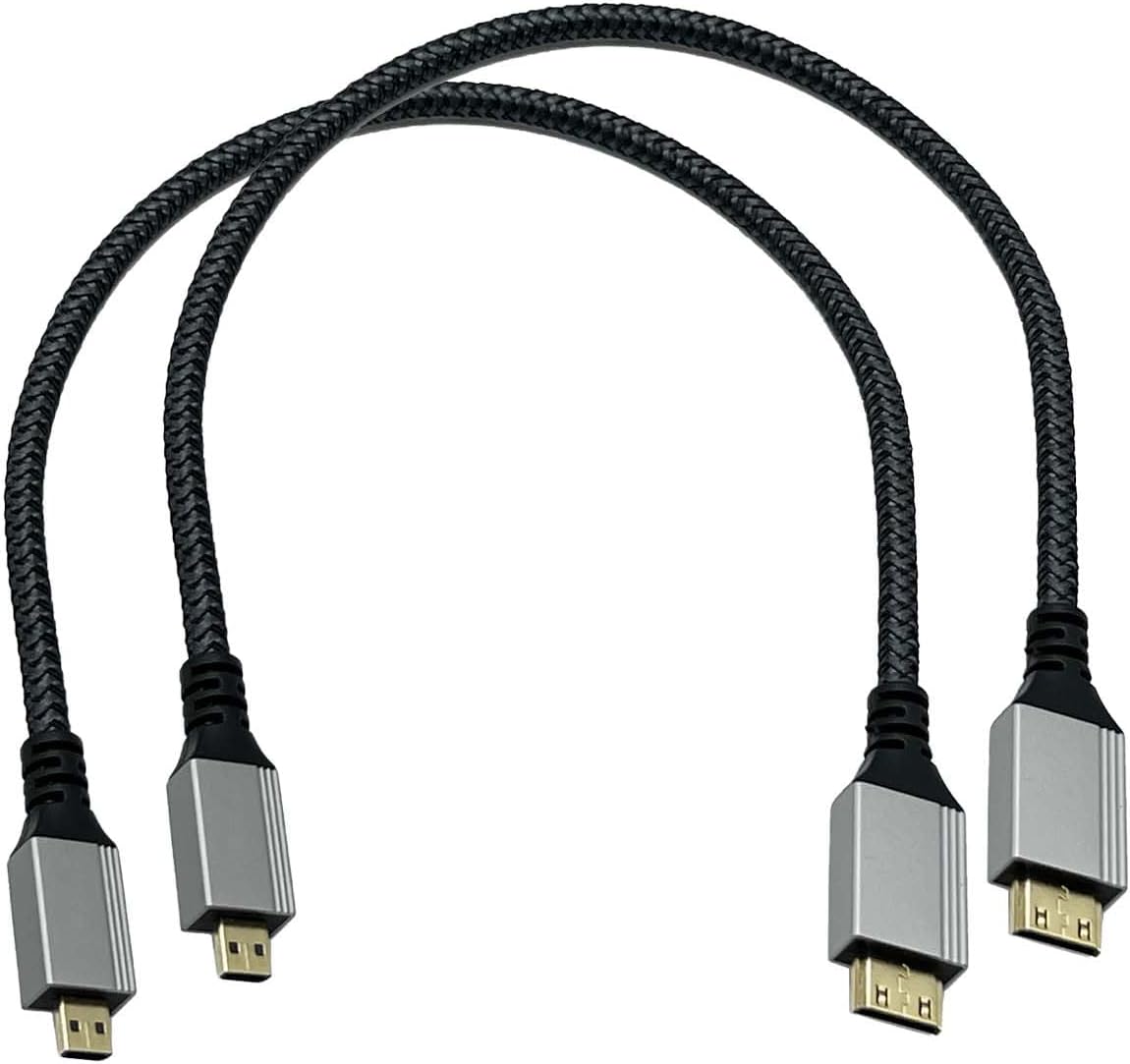
This Micro HDMI to Mini HDMI cable combines a 5.0 rating with a useful set of features for cameras, Raspberry Pi systems, projectors, televisions, and portable monitors. Its headline specifications include 4K at 60Hz, HDR, audio return support, and compatibility with 3D content, making it a broadly capable choice for everyday multimedia setups.
We may earn a commission when you buy through this link, at no additional cost to you.
The cable uses a braided nylon exterior and aluminum connector shells, a combination intended to resist everyday wear while remaining easier to manage than a loose cable. Its male Micro HDMI to male Mini HDMI configuration is standard for source devices with Micro HDMI output and displays with Mini HDMI input. The stated 3.3-foot length gives enough separation for many desktop arrangements without taking over a compact workspace.
One limitation is that the listed performance centers on 4K at 60Hz rather than the 8K capabilities claimed by some HDMI 2.1 alternatives. It also uses a conventional straight cable, so it will not provide the space-saving right-angle arrangement or retractable profile of a coiled camera cable. Buyers whose equipment is specified strictly for higher HDMI 2.1 features may need a more specialized option.
This is an excellent choice for someone who wants one versatile cable rather than a highly specialized accessory. It suits a DSLR or mirrorless camera owner, a Raspberry Pi user with a portable monitor, or anyone connecting Mini HDMI equipment to a television. The strong rating, modern resolution support, durable jacket, and broad compatibility make it a well-rounded first recommendation.
With support for 4K at 60Hz, HDR, ARC, and 3D, the cable covers the features most commonly sought in a general-purpose camera-to-display or computer-to-monitor cable. The aluminum shells and braided jacket also add practical durability to an otherwise straightforward connection.
The stated 3.3-foot run is long enough for many fixed arrangements but remains manageable beside a portable monitor or compact camera rig. It is less suitable when a camera and display must sit farther apart or when a cable must remain hidden inside a crowded bag.
We may earn a commission when you buy through this link, at no additional cost to you.
This one-foot cable is specifically positioned for Raspberry Pi 5, Raspberry Pi 4, and portable monitor configurations. Its 4.6 rating reflects a solid overall proposition, while the stated 18Gbps bandwidth and support for 4K at 60Hz make it appropriate for current high-resolution displays and more demanding video formats.
We may earn a commission when you buy through this link, at no additional cost to you.
The connector ends are described as gold-plated with aluminum shells, and the internal wiring uses 30AWG pure copper. The stated shielding is intended to limit electromagnetic interference, while the bi-directional design allows either Micro HDMI or Mini HDMI to serve as the source side. Feature support includes HDR, Dolby Atmos, Dolby TrueHD 7.1, and audio return channel.
The obvious trade-off is the one-foot length. It is ideal when a Raspberry Pi sits immediately beside a portable monitor and easy to carry in a small case, but it can be too short for a desk where the computer and display are separated by more than a few inches. Buyers should also note that the product listing explicitly distinguishes this cable from standard HDMI, Micro USB, DisplayPort, and Mini DisplayPort.
This is the most targeted recommendation for Raspberry Pi owners who want a short, modern cable for a portable monitor. It is also appropriate for cameras, tablets, laptops, and camcorders with the relevant ports. For a compact, tidy setup that fits naturally within a short distance, its combination of modern bandwidth, useful audio features, and broad compatibility is particularly appealing.
A short cable is especially useful with a Raspberry Pi and portable monitor because it reduces desk clutter and remains easy to coil for transport. The product data also gives extensive examples of compatible computers and cameras, helping buyers confirm that both ends match their equipment.
The stated 18Gbps bandwidth and 4K at 60Hz support provide a useful foundation for high-resolution video. ARC and multiple Dolby audio formats add value when the connection will also handle sound through a compatible television or monitor.
We may earn a commission when you buy through this link, at no additional cost to you.
The Seadream cable offers a straightforward Type D Micro HDMI to Type C Mini HDMI connection for smartphones, cameras, tablets, and other compatible hardware. Its 4.7 rating is strong for a budget-oriented model, and its straightforward construction makes it a practical choice when the objective is simply to connect two compact HDMI ports.
We may earn a commission when you buy through this link, at no additional cost to you.
Gold-plated connectors are intended to support dependable signal transfer and resist corrosion. A molded strain-relief design helps reduce pressure at the plug and socket, while the large-gauge PVC jacket is presented as protection against wear, tearing, and temperature extremes. At 3.3 feet, it offers more reach than a desk-short cable without becoming difficult to store.
Its central limitation is resolution. The stated support extends through 1080p, along with 480i, 480p, 720p, and 1080i, but the data does not claim 4K, HDR, or a particular high-bandwidth standard. It is therefore best suited to standard-definition or full-HD workflows rather than a display setup intended to take advantage of modern 4K specifications.
Choose this cable if you need an uncomplicated Micro HDMI to Mini HDMI connection for a camera, phone, tablet, or similar device and do not require advanced 4K features. It can serve as a useful backup or travel cable, and its gold-plated contacts and molded strain relief make it a sensible entry point into this connector category.
Gold-plated contacts and molded strain relief address two common long-term concerns: connector corrosion and repeated bending at the cable entry point. These details make the cable better suited to routine use than an unidentified generic adapter.
The supported resolution list stops at 1080p, so this is not the cable to choose when a source and display are expected to negotiate 4K, HDR, or other advanced HDMI capabilities. Confirm the output mode of your device before choosing it for a modern high-resolution monitor.
We may earn a commission when you buy through this link, at no additional cost to you.
This five-foot cable is the strongest all-around choice in the group, combining a 4.9 rating with an 18Gbps high-speed specification and 4K at 60Hz support. It is designed for bi-directional transmission, allowing a compatible Micro HDMI source to connect to a Mini HDMI display or the reverse without an additional adapter.
We may earn a commission when you buy through this link, at no additional cost to you.
Its construction uses oxygen-free copper conductors, gold-plated connectors, and triple-layer shielding intended to minimize signal loss and electromagnetic interference. The nylon braid resists wear and tangling, while reinforced strain relief is designed for repeated bending. The five-foot length provides more freedom than the short options in the guide without becoming unwieldy for travel.
The product data lists backward compatibility with 2K, 1080p, 720p, HDR, 3D, and multichannel digital audio. It is also presented as compatible with Raspberry Pi 5 and 4, cameras, camcorders, portable monitors, projectors, graphics tablets, and tablets. However, it explicitly does not fit standard HDMI Type A, USB-C, Micro USB, DisplayPort, or Mini DisplayPort sockets.
This is the recommendation for most people who want dependable 4K performance, flexible length, and broad compatibility without moving into specialized 8K cabling. It is particularly well suited to camera-to-monitor work, Raspberry Pi stations, and presentations where the display may be a little farther from the source. The combination of rating, shielding, useful length, and bi-directional design makes it an especially complete everyday cable.
Five feet is a versatile length for desktop connections, camera monitoring, and portable displays. It gives users room to position equipment without the sharp bends or excessive strain that can accompany a very short lead.
Triple-layer shielding, oxygen-free copper conductors, and gold-plated contacts provide a reassuring foundation for stable video and audio. The braided jacket then addresses the physical wear and tangling problems that commonly affect loose cables in camera bags or busy workspaces.
We may earn a commission when you buy through this link, at no additional cost to you.
The Twozoh cable provides a familiar HDMI 2.0-style connection with Micro HDMI Type D and Mini HDMI Type C male ends. Its 4.6 rating indicates solid buyer reception, while the stated support for HDTVs, camcorders, game players, and other devices makes it broadly relevant for general-purpose audiovisual setups.
We may earn a commission when you buy through this link, at no additional cost to you.
Gold-plated connectors and a nylon jacket are the main physical features. The stated resolution coverage includes 480p, 720p, 1080i, 1080p, and 4K at 1080p, along with 3D support. The product data also states that every cable is inspected and visually checked before packing, which is a useful quality-control detail for buyers concerned about manufacturing consistency.
The specification is less precise about maximum bandwidth and frame rate than some competing descriptions. It does not provide the same detailed HDR, VRR, or refresh-rate information, so buyers needing advanced 4K at 60Hz performance should verify the requirements of both source and display. Its almost 1.6-foot length also places it between a short patch lead and a full desk cable.
This is a sensible selection for users connecting a camcorder, game device, television, or camera to compatible HDMI equipment at standard or enhanced-HD resolutions. It offers a durable, familiar alternative for everyday use, particularly where exact advanced feature lists are less important than a straightforward and broadly compatible connection.
HDMI 2.0 remains relevant for many cameras, game systems, and displays that operate below the limits of the newest HDMI specification. The broad resolution list makes this cable approachable for users who want straightforward compatibility rather than a specialized high-refresh-rate design.
At roughly 1.6 feet, the cable provides a little more separation than a one-foot lead without taking up the space of a five-foot cable. This makes it convenient for compact monitors and camera setups that need a modest amount of flexibility.
We may earn a commission when you buy through this link, at no additional cost to you.
The Duttek cable is aimed at users who need more bandwidth than a conventional 4K lead can offer while also keeping the cable profile extremely thin. Its stated 48Gbps bandwidth, 8K at 60Hz support, and HDMI 2.1 positioning give it a performance-oriented feature set, and it holds a 4.5 rating.
We may earn a commission when you buy through this link, at no additional cost to you.
The jacket measures only 4mm in diameter, described as lighter and more flexible than a standard version. A coiled construction helps keep excess cable gathered around a camera or camcorder rather than hanging loose. Gold-plated contacts are used for the connectors, and the product data lists support for dynamic HDR, 8K, 4K, Ultra HD, 3D, Ethernet, and audio return.
Its thinness and coil design also introduce practical limitations. The cable's longest extension is stated as 1.2 meters, and the resting length is about 80 centimeters, so it cannot cover large desk distances. A coiled lead may also be less convenient for a permanently installed setup, and users should carefully confirm that both devices support the advanced modes they intend to use.
This cable is best for a compact camera rig, portable camcorder setup, or other high-resolution workflow where low cable weight and manageable excess length matter. It is less attractive for a stationary desktop or long-distance connection. For users ready to use HDMI 2.1 features and prioritize a thin profile, its high bandwidth and flexible coil provide a clear advantage.
The stated 48Gbps bandwidth and 8K at 60Hz capability place this cable among the most technically ambitious options in the guide. Dynamic HDR support and gold-plated contacts further distinguish it for compatible high-end cameras and displays.
The four-millimeter diameter and coiled layout help reduce visual clutter and bulk around a camera body. The trade-off is a limited maximum extension of 1.2 meters, which is appropriate for compact rigs but not for moving a display across a room.
We may earn a commission when you buy through this link, at no additional cost to you.
This right-angle coiled cable offers a particularly practical solution for camera bodies and other compact equipment where connector clearance is limited. Its 4.6 rating and stated HDMI 2.1 capabilities include 48Gbps bandwidth, 8K at 60Hz, 4K at 120Hz, 2K at 240Hz, HDR, VRR, and dynamic HDR.
We may earn a commission when you buy through this link, at no additional cost to you.
The right-angle connector can reduce the leverage created by a straight plug, which is useful when the camera rests on a table or lies at an angle. Its spring-coil design has a static length of about 0.3 meters and stretches to about 1.1 meters. That makes it easy to retrieve from a camera bag without leaving a long cable hanging around the equipment.
The specification is extensive but also demands careful consideration. Many listed functions require compatible source devices, displays, firmware, and output settings. Its relatively short maximum extension also makes it less suitable for a desktop connection, and the 1.1-meter stretch limit can be restrictive when the display needs to sit farther from the camera.
Choose this cable for a mirrorless or DSLR workflow where a right-angle connection, retractable profile, and advanced resolution support are valuable. The extensive compatibility list provides a useful starting point for many Fujifilm, Sony, Canon, Nikon, Panasonic, Olympus, Ricoh, and Lenovo devices, but the exact port must still be checked before purchase.
A right-angle plug can sit more neatly beside a camera and reduce strain on the cable entry point. It is especially helpful when the camera body would not otherwise have room for a thick, straight connector.
The listed support for HDR10 4:4:4, VRR, ALLM, QFT, QMS, dynamic HDR, 4K at 120Hz, and 8K at 60Hz makes the cable relevant to advanced displays. Those modes still depend on the capabilities of the camera, graphics source, display, and any intervening adapter.
We may earn a commission when you buy through this link, at no additional cost to you.
This 3.3-foot cable earns a 5.0 rating and focuses on a straightforward, durable connection between Mini HDMI and Micro HDMI devices. It is positioned for GoPro Hero cameras, Canon cameras, portable monitors, Raspberry Pi systems, security DVRs, digital photo frames, and other products that use these compact HDMI connectors.
We may earn a commission when you buy through this link, at no additional cost to you.
The stated 18Gbps bandwidth supports 4K at 60Hz on compatible equipment, while the braided nylon jacket is designed to resist abrasion, tangling, and daily wear. Male connectors at both ends create a conventional direct cable, and the product data emphasizes a secure fit for stationary or mobile equipment.
The specification does not explicitly advertise advanced HDR formats, return-channel audio, or bi-directional signal flow. That makes the cable less of a feature-forward option than some 18Gbps alternatives, even though its core 4K capability is closely aligned with modern cameras and portable displays. Buyers using a Mini HDMI display with a Micro HDMI source should also verify that the intended direction is supported by their equipment.
This is a strong recommendation for action-camera users, photographers, and portable-monitor owners who want a durable 4K cable in a manageable length. Its 5.0 rating, 18Gbps specification, and braided construction make it an appealing option for general camera-to-screen and compact computer connections.
The stated use cases closely match real-world camera monitoring: GoPro action cameras, Canon cameras, portable displays, and Raspberry Pi boards. A 3.3-foot lead offers enough room for a small rig while remaining easy to pack.
The flexible braided sheath is intended to tolerate the bending, abrasion, and handling that occur when equipment is connected and disconnected regularly. That construction makes the cable a practical alternative to a bare, easily tangled lead.
We may earn a commission when you buy through this link, at no additional cost to you.
The Seadream two-pack is designed for buyers who want more than one compact connection. Each one-foot cable has a Micro HDMI Type D male end and a Mini HDMI Type C male end, and the package includes two cables. Its 4.5 rating reflects a generally favorable reception for a portable, broadly compatible accessory.
We may earn a commission when you buy through this link, at no additional cost to you.
Support is listed for 4K resolution, 1080p, and 3D content. The construction combines a braided nylon jacket, silver aluminum connector housings, and gold-plated contacts. These features are aimed at reliable signal transfer, corrosion resistance, and protection from regular bending or tangling.
Because the product data does not state a maximum bandwidth or detailed frame-rate coverage, buyers should not assume every advanced 4K mode is supported. The one-foot length is also extremely short and may be insufficient for many fixed monitor arrangements. The package quantity is the main advantage, since two short leads are most useful for carrying in a kit rather than installing permanently.
This bundle is a good fit for a photographer or technician who uses different Mini HDMI and Micro HDMI devices, keeps a spare lead on hand, or wants one cable for a camera kit and another for a portable computer. It offers practical construction and resolution support in a compact form, with the two-pack providing better overall flexibility than a single short cable.
Keeping one short cable in a camera bag and another with a portable monitor or computer avoids repeated unplugging. It also provides a ready spare if a lead is damaged during travel or fieldwork.
The combination of a braided jacket, aluminum connector housings, and gold-plated contacts focuses on both physical durability and electrical connection quality. At one foot, however, the cable is most practical when the source and display remain close together.
We may earn a commission when you buy through this link, at no additional cost to you.
The MOTONG cable is the premium high-bandwidth selection in this guide. It holds a 5.0 rating and advertises HDMI 2.1 performance with 48Gbps bandwidth, 8K at 60Hz, 4K at 120Hz, and dynamic HDR. Its Type C Mini HDMI and Type D Micro HDMI male ends are designed for direct connections between compatible equipment.
We may earn a commission when you buy through this link, at no additional cost to you.
Bi-directional transmission allows either connector orientation to serve as the source side, which adds flexibility when source and display devices vary. The coiled spiral design stretches to 1.2 meters, making it possible to keep excess cable gathered near a camera. The plug contacts are described as 24K gold-plated, while the cable is positioned for cameras, camcorders, tablets, Raspberry Pi systems, and other compatible hardware.
As with any highly specified cable, the result depends on the devices in the chain. A 5.0 rating and a stated 48Gbps capacity do not guarantee that every camera or monitor will output 8K, and dynamic HDR or 4K at 120Hz requires compatible source and display equipment. The maximum extension of 1.2 meters also makes it less convenient for long stationary runs.
This cable is best for a high-end camera, camcorder, or compact computer setup that will benefit from HDMI 2.1 bandwidth and a compact coiled profile. It is the premium recommendation for buyers who want the highest stated specifications in the group, provided their equipment supports the desired resolution and refresh rate.
A stated 48Gbps bandwidth creates room for demanding formats such as 8K at 60Hz and 4K at 120Hz. This makes the cable relevant to modern cameras and displays, although the actual mode remains a negotiated feature of the connected equipment.
Bi-directional transmission reduces the need to worry about which connector is the source, while the coiled form keeps excess length under control. Its one-point-two-meter maximum reach is useful for camera proximity but insufficient for a display positioned across a room.
We may earn a commission when you buy through this link, at no additional cost to you.
The right cable depends on connector direction, source and display capabilities, required resolution, physical layout, and how often the equipment will be moved. Review these factors before comparing the models in this guide.
Micro HDMI is formally Type D and Mini HDMI is Type C. Both are smaller than the familiar standard HDMI Type A connector, but their shapes are not interchangeable. The Micro HDMI end usually appears on compact action cameras, camera bodies, Raspberry Pi computers, and some tablets, while Mini HDMI appears on selected cameras, laptops, compact computers, and portable monitors. Look at the actual port shape and label rather than relying only on the words HDMI or USB in a device specification.
Confirm both ends before buying. A cable listed in either direction is still a direct Micro HDMI to Mini HDMI connection, but a cable that is simply called a USB cable will not fit these ports.
A cable that works for 1080p video may not provide the bandwidth needed for 4K at 60Hz or higher refresh rates. Compare the output mode of the source with the native mode and supported inputs of the display. The cables in this guide range from a basic option listing support through 1080p to HDMI 2.1 models claiming 48Gbps, 8K at 60Hz, 4K at 120Hz, and 2K at 240Hz.
Higher advertised bandwidth is useful only when compatible devices, firmware, settings, and adapters support the same mode. Choose the lowest specification that reliably meets your needs and leave additional headroom for future equipment.
The Micro HDMI end is commonly the video output on a camera or compact computer, while the Mini HDMI end is commonly the input on a monitor. Some cables explicitly support bi-directional transmission, allowing either end to act as the source. This is useful when your equipment changes, but it does not mean every device can transmit video through either port.
Read the product description for signal-flow language. Also verify the direction of the USB-C or proprietary port on adapters used with cameras, because an adapter may provide input only and therefore limit the usable connection.
Length affects placement, strain, signal reliability, and portability. A one-foot lead works well when a Raspberry Pi sits beside a portable monitor, but it can pull against a camera port when the display is positioned farther away. A three-point-three-foot cable offers more flexibility for a compact desk, while a five-foot option is easier to arrange around larger equipment without a sharp bend at either connector.
For mobile use, coiled cables provide a compromise because they expand when needed and retract into a compact loop when stored. Coiled designs are particularly useful with cameras, although buyers should check the maximum extension and resting length before committing.
Gold-plated contacts can help resist corrosion and maintain a consistent connection, while aluminum shells provide structure around the plug. The jacket also matters. Braided nylon resists abrasion and tangling, PVC offers a simpler and often flexible alternative, and a thin coaxial-style cable can reduce bulk around a camera mount. Reinforced strain relief is especially valuable at the point where the cable meets a small, vulnerable connector.
Choose construction based on how the cable will be handled. A stationary desktop may need only a basic shielded lead, while a camera carried between locations benefits from a braid, reinforced ends, and a manageable coiled profile.
Video support is only one part of an HDMI connection. Some cables list Audio Return Channel, allowing a compatible display to return audio to a sound system or other device. HDR, Dolby Atmos, Dolby TrueHD, 3D, and multi-channel audio support may also be relevant depending on the source and display. These capabilities require support on both ends rather than being created solely by the cable.
If your setup includes a television, soundbar, projector, or portable monitor with an integrated speaker, review the audio features carefully. A basic cable may carry the picture perfectly while offering fewer options for advanced return-channel audio or high-resolution sound.
Connector size is only half of the clearance issue; connector orientation matters just as much. A straight plug can stand away from a camera body and prevent the camera from sitting flat or fitting into a tight compartment. A right-angle Micro HDMI connector can reduce that projection and direct the cable away from the equipment.
Check the device design before selecting a right-angle model. The associated connector also needs to match the Mini HDMI port on the display, and a right-angle option cannot solve a wrong connector size. Portable users should also ensure that the plug's metal shell is not too thick for a recessed port.
A two-cable package is useful for photographers, repair technicians, educators, and anyone moving between different camera and computer configurations. One short cable can remain with a portable monitor while another is stored with a camera body, reducing the need to reconnect and reorganize equipment at each location.
A multipack is also useful as a backup because compact HDMI leads may be strained by sharp bends or damaged during travel. Confirm that the included cables have the length and specifications you need; multiple short leads are not a substitute for one longer high-bandwidth cable.
Identify the output port on the source and the input port on the display before connecting anything. Power on the equipment, select the correct HDMI input on the display, and then set the source to the desired resolution and refresh rate. For a Raspberry Pi or similar compact computer, the operating system may detect the new display automatically, while a camera may require playback or preview mode before it sends video through the cable.
Connect the cable directly whenever possible. If an adapter is unavoidable, make sure it supports the intended direction and video format rather than merely providing a physical connection. After changing the resolution, color mode, or audio setting, allow the source and display a moment to renegotiate the mode and verify that the image is stable, synchronized, and free of dropouts.
To protect the cable, hold the connector housing rather than pulling the wire when disconnecting it. Avoid sharp bends immediately beside the plug, especially with stiff coiled models. Coil the cable loosely rather than wrapping it tightly around itself, keep both connectors dry, and do not leave the cable under heavy equipment. For a coiled design, extend it only as far as needed and confirm that the device does not move beyond the cable's maximum extension.
Micro HDMI is Type D and Mini HDMI is Type C. They are distinct connector shapes with different pin arrangements, so neither can connect to the other without the correct cable. Check the port on both the source and display before ordering, and do not confuse either format with standard HDMI, USB-C, or Mini DisplayPort.
It can if both the cable and connected devices support the required 4K mode. Several options in this guide advertise 4K at 60Hz, while premium HDMI 2.1 models list higher resolutions and refresh rates. The source, display, firmware, resolution setting, refresh rate, and HDR mode all need to align for the higher specification to operate.
A properly constructed cable can maintain a stable signal over the lengths represented in this guide, but quality depends on shielding, conductor quality, connector construction, and interference in the environment. Active or very long cables may be necessary for specialized installations. For ordinary camera and monitor connections, selecting the shortest comfortable length usually reduces strain and makes signal performance easier to maintain.
A right-angle connector can reduce the space a plug occupies beside a camera and prevent the cable from forcing the device to sit at an awkward angle. It can also reduce strain at the connector entry point. The opposite end still needs to match the display, so confirm that you need a Mini HDMI connection rather than standard HDMI before choosing this shape.
Coiled cables are well suited to camera bags because they retract into a compact loop and extend when needed. Their maximum extension remains limited, however, so they are best for equipment positioned close together. Avoid overstretching a coil, and let it return gradually to its resting length to reduce stress on the internal conductors.
HDMI cables can carry digital audio along with video, but advanced audio functions require compatible hardware. Some cables list Audio Return Channel, Dolby Atmos, and Dolby TrueHD support, while simpler models list standard multichannel audio or focus primarily on video. Check the soundbar, television, camera, and source-device specifications before relying on a particular feature.
Only cables that explicitly advertise bi-directional transmission are designed to carry a signal from either connector orientation. Even then, each connected device must have the correct port function. Some camera and computer ports are output-only, so physical reversibility does not guarantee that a particular setup can transmit video.
First reconnect both ends and confirm that the display is on the correct input. Then reduce the resolution or refresh rate, disable HDR and high-bandwidth audio features, and try the cable with another compatible display or source. If the image appears, the original device or setting may be the limiting factor. Also inspect the connectors for bends, debris, or damage that could prevent a secure fit.
The MOTONG coiled cable leads the premium category with 48Gbps bandwidth, 8K at 60Hz support, bi-directional transmission, and a 5.0 rating. The five-foot 4K cable is the strongest general-purpose option because its 18Gbps specification, shielding, useful length, and 4.9 rating cover many camera, Raspberry Pi, and monitor applications. The Seadream 3.3-foot cable is the budget pick for basic full-HD connections.
Prioritize the connector combination first, then choose a cable that supports the exact resolution and refresh rate required by your source and display. Cable length, right-angle clearance, braided construction, coiled portability, and return-channel audio should determine the secondary features. A higher specification is worthwhile only when the complete signal chain can use it.
Ratings, feature descriptions, product availability, and retailer policies can change, so verify the current listing before buying. Check the connector shape on both devices, review the required output mode, and compare current prices across sellers. These checks help prevent an otherwise capable cable from being limited by incompatible hardware or an incorrect port assumption.